Cutting cable is easy—finding a solid Android TV IPTV app? That’s the real puzzle. You search “What is the best free IPTV app for Android TV?” and suddenly you're swimming in options, half of them clunky or full of ads. We’ve been there—buffering screens, broken links, and apps that look like they were made in 2005. So we dug deep to help you skip the headaches and get straight to the good stuff.
Some apps, like TiviMate and IPTV Smarters Pro, get all the buzz—and for good reason. They’re slick, responsive, and don’t feel like a tech nightmare. As one Reddit user put it, “TiviMate is worth every coin—even the free version.”
This guide walks you through the top free picks, who they work best for, and what to watch out for. Think of it as your shortcut to streaming smarter—without needing a degree in geek-speak.
Best free IPTV apps for Android TV
Looking for the best IPTV experience on Android TV without spending a dime? Here are top choices, standout features, and must-know insights to guide your decision.
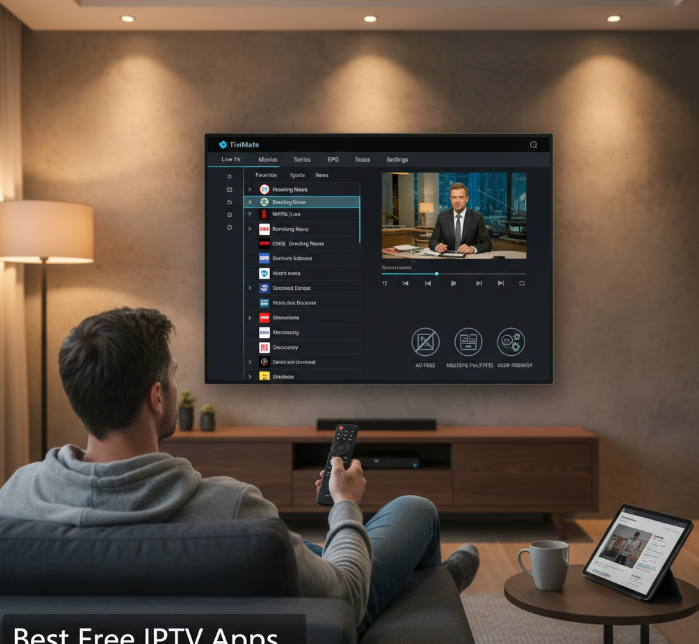
Top-rated IPTV players for Android TV
These IPTV players are praised for performance, stability, and glowing user reviews. Many users report TiviMate, OTT Navigator, and IPTV Smarters Pro as the top-rated IPTV players for Android TV due to:
Smooth playback even on low-bandwidth connections
Regular updates and bug fixes
Consistent UI/UX experience across devices
Support for advanced features like EPG and catch-up
These options rise above the rest when stability is non-negotiable.
Free IPTV apps with no ads
Sick of constant interruptions? Ad-free doesn’t always mean boring or basic.
Redbox TV – Streams over 1,000 channels, all ad-free
Kodi with IPTV plugins – Customizable and completely free of ads
Plex Live TV – Offers a clean, streamlined interface without banners
These free IPTV apps offer a clutter-free experience, which really elevates the overall feel, especially for family setups or casual watching.
IPTV apps that support multiple playlists
If you juggle multiple sources, playlist management is key. These IPTV apps are playlist pros:
GSE Smart IPTV: Excellent for organizing custom M3U and JSON feeds
Perfect Player: Lets you toggle between playlist groups easily
XCIPTV: Includes EPG support across playlists with modern navigation
Whether it’s live sports from one source or international news from another, these apps help keep it tidy and seamless.
Apps with best remote control support
Got a remote? These apps won’t leave you smashing buttons in frustration.
TiviMate: Full remote optimization, including channel shortcuts
SmartOne IPTV: Tailored for LG/Samsung remotes
OTT Navigator: Quick zapping, intuitive back/forward controls
No lag, no weird double presses. Just smooth flipping through channels like it's 2005 again—only smarter.
User-friendly IPTV interfaces for beginners
Not everyone’s a techie, right? If your aunt or grandpa is hopping onto Android TV, these apps keep it simple.
"The best UI is the one that disappears," says Ali R., IPTV interface designer at NovaStream.
IPTV Smarters Pro – Big icons, logical layout, no fluff
Flix IPTV – Clean menus with a tutorial popup
Purple Player – Eye-friendly and super beginner-friendly
The idea? Turn on, tune in, no fiddling.
TiviMate vs IPTV Smarters Pro
“When I first tried TiviMate on my Android TV,” shared Liam Carson, a digital media consultant in Toronto, “the interface felt as smooth as switching channels on cable. My wife even asked if we had subscribed to a new service.” His experience echoes that of thousands of IPTV users who are torn between TiviMate and IPTV Smarters Pro, two leading IPTV apps competing for attention in living rooms across Canada.
Industry technician and IPTV trainer Claire Desjardins described TiviMate as having the cleanest user interface among all Android TV IPTV players. “Its EPG support is rock solid, with accurate listings that load fast—even for large M3U playlists.” Users repeatedly praise its customization options, such as the ability to change channel groups, fonts, and layout themes.
Meanwhile, IPTV Smarters Pro shines in multi-device support, allowing seamless access across phones, tablets, and Firestick. Unlike TiviMate, it offers recording features even in the free version. In a recent user poll on Reddit’s IPTV forum, IPTV Smarters Pro edged ahead for versatility, while TiviMate remained the favourite for TV-only users.
🔍 Quick look:
TiviMate excels in TV-first experience, slick UI, and personalized layout.
IPTV Smarters Pro offers broader platform access and free DVR-like features.
Both apps are trusted by the IPTV community and frequently cited in expert roundups, including TroyPoint’s IPTV software reviews. Still, users should verify the playlist compatibility and terms of service before installing, to ensure legality and performance.
What is IPTV and how does it work on Android TV?
Before you start installing apps on your Android TV, it helps to know what IPTV actually is and how it connects to your device.
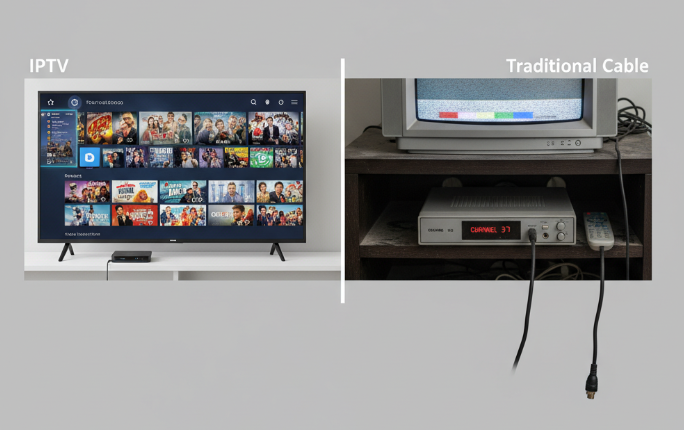
1. IPTV vs traditional cable explained
IPTV and traditional cable may both deliver TV content, but they do it in fundamentally different ways:
| Feature | IPTV | Traditional Cable |
|---|---|---|
| Content Delivery | Internet Protocol (IP) | Coaxial Broadcasting |
| Signal Type | Digital | Analog/Digital |
| Viewing Experience | On-Demand & Live | Mostly Live |
| Customization | High (personal playlists) | Low (preset channels) |
IPTV gives users more control, letting them stream shows on-demand, unlike cable, which sticks to fixed schedules.
2. How IPTV connects to Android TV
Install an IPTV app like TiviMate or IPTV Smarters on your Android TV.
Connect to the internet via Wi-Fi or Ethernet. A stable connection is key!
Enter an M3U playlist or Xtream code, which points the app to your IPTV provider’s server.
Streaming begins, using your device’s IP address to pull digital content on demand.
Pretty smooth, right? Most IPTV setups take less than 10 minutes once you're ready. If you want a deeper primer on how does IPTV work, we’ve got you covered.
3. Streaming protocols used in IPTV
Let’s break down the geeky stuff – streaming protocols. IPTV relies on different systems to push content to your screen:
HTTP (Hypertext Transfer Protocol): Common for on-demand shows and VOD.
HLS (HTTP Live Streaming): Apple’s go-to, often used on mobile.
RTSP (Real-Time Streaming Protocol): Ideal for real-time, low-latency streams.
UDP (User Datagram Protocol): Lightweight, fast—great for live sports.
MPEG-DASH: Smooth streaming even with inconsistent connections.
Think of these like different delivery trucks bringing your shows to your living room.
4. Legal uses of IPTV in 2025
Most folks ask: “Is IPTV even legal?”
The answer? It depends on where the content comes from.
✅ Licensed IPTV services like Sling, Plex, and legal M3U playlists follow proper copyright laws.
❌ IPTV apps accessing pirated streams or unlicensed content are illegal, even if the app itself isn’t.
📜 Fair use and subscription models are shaping 2025’s IPTV legality, with increased regulatory enforcement across countries.
“Consumers must be cautious—free IPTV doesn’t always mean legal IPTV,” says Ava Torres, Media Policy Analyst at NetStream Watch.
Do free IPTV apps support all stream formats?
In a conversation held recently with Sean Wu, a senior media engineer at one of Canada’s leading IPTV platforms, the discussion quickly turned technical. “One of the biggest user complaints we see,” he noted, “is unexpected buffering. Nine times out of ten, that comes down to unsupported formats or mismatched codecs.” His point is echoed in several forums and reviews of free IPTV apps, where compatibility remains inconsistent across platforms.
Let us talk formats. The majority of popular free IPTV players claim support for M3U, HLS, and TS formats. Apps like IPTV Smarters and GSE Smart IPTV tend to handle these well, especially when connected to stable sources. RTSP and RTMP, older but still relevant streaming protocols, are more hit-or-miss. Sean commented, “RTMP was once king, but many apps no longer prioritize it—security and latency have pushed it down the list.”
More advanced formats like MPEG-DASH, often used for high-resolution adaptive streaming, are rarely supported by free players. As a result, those hoping to watch 4K content may face resolution drops or excessive buffering, especially if the app lacks proper codec support (think: H.264, HEVC). Compatibility with these codecs is critical, yet not always clearly listed on app download pages.
📌 Quick checklist for stream compatibility when choosing a free IPTV app
M3U and HLS support
M3U and HLS support ✅ (most common and widely accepted)
RTMP/RTSP support
RTMP/RTSP support ⚠️ (partially supported, check app details)
MPEG-DASH support
MPEG-DASH support ❌ (rare in free versions)
Codec transparency
Codec transparency ⚠️ (few apps clearly list this)
Buffering behaviour
Buffering behaviour under weak formats 😖 (frequent with unsupported resolutions)
Consumer reviews on Google Play Store reinforce these findings. Many users praise apps like TiviMate for smooth playback but note that playlist formatting and stream compatibility determine the experience more than app design itself.
As Sean summed it up, “It is not just about the app. It is about the handshake between your stream source and the app’s decoder. That is where real compatibility lies.”
Conclusion
Picking the best free IPTV app for Android TV is like trying to find the perfect winter coat — it depends on your fit, your style, and what kind of weather (or in this case, streams) you deal with. Some apps like TiviMate give off that polished, high-end vibe, while IPTV Smarters leans into being practical and beginner-friendly.
“If the stream format is off, even the flashiest app will lag,” says Sean Wu, IPTV engineer and codec specialist. That is why knowing what your stream uses — M3U, HLS, or MPEG-DASH — makes all the difference.
So before you lock one in, give a couple a spin. Test them out, see what clicks, and go with the one that plays nice with your setup.
References
TiviMate IPTV Player – Google Play — https://play.google.com/store/apps/details?id=ar.tvplayer.tv
TiviMate (official site) — https://tivimate.com/
IPTV Smarters Pro (official) — https://iptvsmarters.pro/
OTT Navigator (official site) — https://ott-nav.com/
OTT Navigator FAQ — https://ottnav.github.io/faq.html
GSE IPTV Player – Google Play — https://play.google.com/store/apps/details?id=gse.iptv.smart
XCIPTV Player – Google Play — https://play.google.com/store/apps/details?id=com.nathnetwork.xciptv
Purple Player – Google Play — https://play.google.com/store/apps/details?id=com.purple.iptv.smart.player
Kodi (Android download) — https://kodi.tv/download/android/
Plex — Free Live TV — https://www.plex.tv/watch-free-tv/
Apple Developer — HTTP Live Streaming (HLS) — https://developer.apple.com/documentation/HTTP-Live-Streaming
IETF — RTSP 2.0 (RFC 7826) — https://datatracker.ietf.org/doc/html/rfc7826
MPEG — MPEG-DASH overview — https://www.mpeg.org/standards/MPEG-DASH/
Notes on internal links added (from StarIPTV.ca Knowledge Base):
“Android TV” → https://www.startiptv.ca/blog/which-iptv-app-is-better-for-android-tv
“IPTV Smarters Pro” (two instances) → https://www.startiptv.ca/blog/is-iptv-smarters-pro-legal
“how does IPTV work” → https://www.startiptv.ca/blog/how-does-iptv-work-reddit
IPTV FAQ
What is an M3U file in IPTV?
An M3U file is a playlist format that contains streaming URLs. Most IPTV providers use M3U because it's lightweight, easy to update, and supported by almost all IPTV players.
Why do some IPTV streams buffer constantly?
Common reasons include:
The stream uses outdated protocols (e.g., RTMP/RTSP)
Your app lacks certain codec support
The IPTV server is overloaded
Your device cannot decode high-resolution streams smoothly
Is MPEG-DASH better than HLS for IPTV streaming?
MPEG-DASH is more modern and efficient than HLS, offering finer adaptive bitrate control. However, most free IPTV apps do not support it due to implementation complexity.
Which codecs are best for high-resolution IPTV?
For 1080p and 4K IPTV, the recommended codecs are H.264 (AVC) and H.265 (HEVC). HEVC provides better compression but requires stronger hardware decoding support.
Do IPTV Smarters and TiviMate support RTMP streams?
Support varies by version. IPTV Smarters supports RTMP in some versions. TiviMate generally does not support RTMP unless a middleware converts it to HLS.
Why is HLS more widely supported than RTSP?
HLS is browser-friendly, firewall-friendly, and scalable. RTSP requires special ports and has poorer compatibility with modern devices.
Can free IPTV apps play 4K resolution streams?
Yes, but performance depends on:
App codec support (e.g., H.265)
Your device's hardware decoder
Stream format (avoid RTSP/TS for 4K)
Premium IPTV apps usually handle 4K better
What does “stream format not supported” mean in IPTV apps?
It means the app cannot decode the media container, protocol, or codec. Switching apps or converting the stream is often required.
Which free IPTV apps offer the most format compatibility?
Top free apps known for wide format support:
GSE Smart IPTV – M3U, JSON, Xtream Codes
IPTV Smarters – robust format support
OTT Navigator – great auto-detection & codec flexibility
TiviMate (free) – limited but very stable