Cutting the cord sounded like freedom — until you opened the Google Play Store and saw 20+ IPTV apps all promising to be “the best.” If you’ve found yourself wondering "Which IPTV app is better for Android TV?", you’re not alone. Canadians from coast to coast are trading in cable for smarter, cheaper options like modern IPTV solutions — but figuring out which app actually works well on your Android box or smart TV? That’s a whole different game.
Some swear by TiviMate’s clean layout, while others back IPTV Smarters Pro for its packed features. Then there’s the crowd that says, “Why pay at all?” and champions free apps like XCIPTV. As tech writer Glen Campbell puts it, “Usability wins over features — if it’s clunky, nobody sticks with it.”
This guide cuts through the noise. You’ll get real comparisons, no fluff — just what works, what doesn’t, and which IPTV app is actually worth your screen time on Android TV.
TiviMate vs IPTV Smarters Pro: Which is More User-Friendly?
When it comes to Android TV, ease of use is everything. Here's how TiviMate and IPTV Smarters Pro stack up on the user-friendliness front.
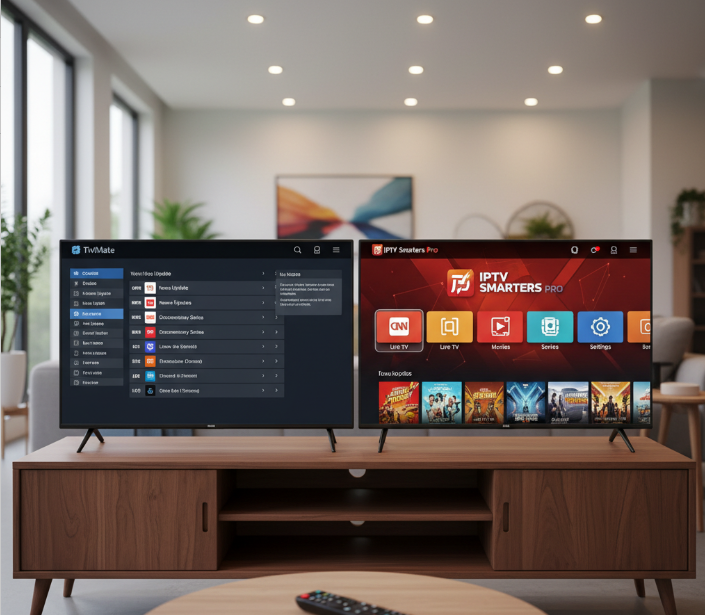
Interface layout comparison and readability
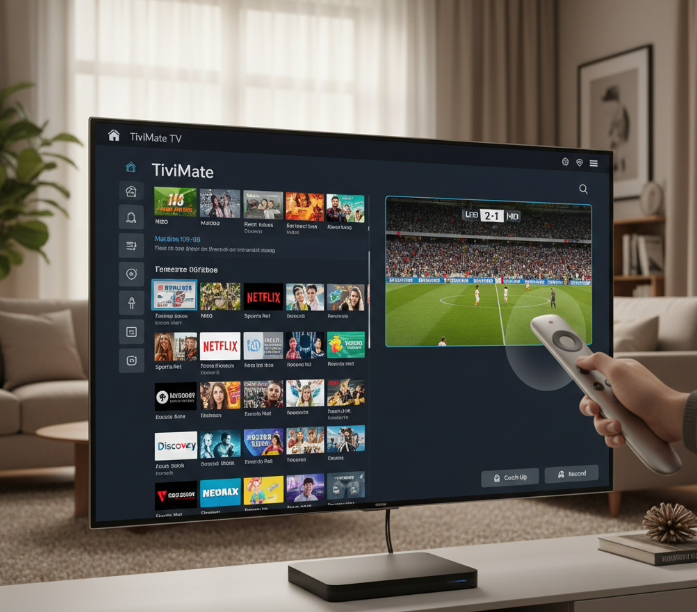
TiviMate delivers a clean, almost cable-like user interface, with sharp font and intuitive visual clarity that appeals to traditional TV users. According to its official description, it’s “designed for big screens,” which explains why it feels so natural on Android TV devices.
IPTV Smarters Pro leans toward a flashier design, but the menu sometimes feels a bit cramped, especially on smaller screens. Users who are used to classic grid-style TV guides often find TiviMate more comfortable than heavily skinned interfaces.
Ease of playlist and EPG setup
Setting up a playlist or EPG on TiviMate is super smooth — the app walks you through it like a friendly tour guide. It supports multiple playlists and scheduled TV guide updates, making it a strong choice for people using premium services like IPTV subscription providers that deliver both live TV and VOD.
Smarters Pro? It gets the job done, but it’s got a few extra taps and confusing labels that might trip up newbies.
TiviMate: Faster configuration, better labeling
IPTV Smarters Pro: More manual input needed
Still, both support Xtream Codes and M3U links, so they’re solid on compatibility with most IPTV player–friendly services.
Remote control navigation performance
TiviMate: Slick and super responsive, especially with the D-pad on Android TV remotes.
IPTV Smarters Pro: Works fine, but occasional lag during scrolling makes it feel clunky.
TiviMate clearly optimizes for remote control performance, while Smarters Pro seems better suited for touch devices like phones and tablets.
Customization options for end-users
If you're the type who likes to tweak stuff, TiviMate’s customization game is fire. You can change channel view styles, hide groups, and adjust layout to fit your vibe.
IPTV Smarters Pro isn’t bad — it lets you change themes and parental settings — but it’s not as flexible.
TiviMate = More personalization
Smarters Pro = Basic settings only
Bottom line? Power users will love TiviMate’s flexibility.
Format compatibility in IPTV apps: Does it affect playback quality?
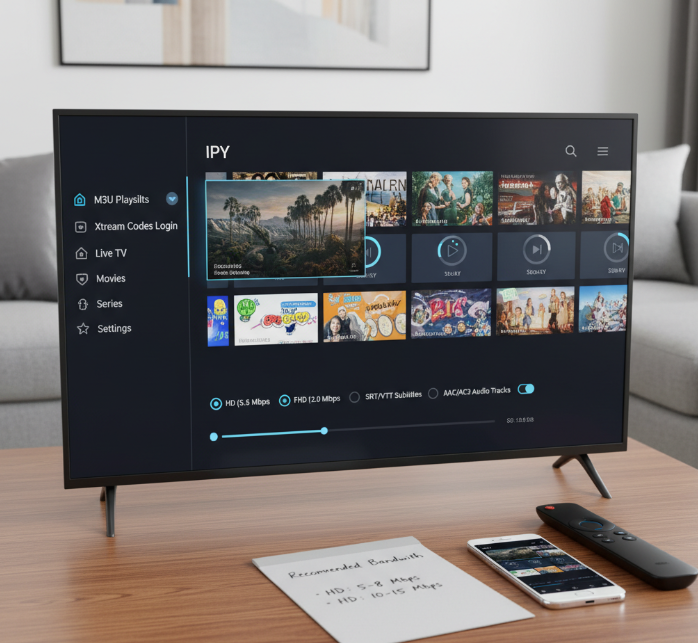
Format compatibility is the backbone of IPTV apps. If your app can't handle your stream format, your viewing experience is toast.
Support for M3U and Xtream codes
IPTV apps live and die by their ability to handle various playlist formats like M3U playlists and Xtream codes API. Compatibility impacts how well the app connects to servers, authenticates users, and pulls channel data.
M3U support allows quick drag-and-drop style access for custom setups.
Xtream codes go deeper—offering server authentication and VOD integration.
Most top apps like TiviMate, GSE Smart IPTV, and IPTV Smarters Pro support both. However, the performance may vary based on server structure and update frequency.
Handling of HD, FHD, and 4K streams
Not all IPTV apps are built equally when it comes to video quality and resolution support. Some stutter or choke on high-bandwidth streams. Here's a quick comparison:
| Resolution | Recommended Bandwidth | Common Issues |
|---|---|---|
| HD (720p) | 5 Mbps | Occasional buffering |
| FHD (1080p) | 10 Mbps | Decoder overload in old apps |
| 4K (2160p) | 25 Mbps | Frame drops, lag |
Apps with built-in hardware decoding handle 4K resolution better, especially when paired with a reliable IPTV Canada provider offering optimized streams.
Buffering usually comes down to poor decoding or bad server links.
TiviMate and XCIPTV are known to handle 4K without hiccups on high-end Android TVs.
Subtitle and audio track support
Ever watched a French action film and wished you had English subtitles? Or wanted to switch from Spanish to English audio tracks? That’s where format support really shows.
Subtitle formats like SRT and VTT need to be properly parsed—some apps support external files; others don’t.
Audio codecs like AAC, AC3, and MP3 can make or break playback.
Look for apps that support language selection mid-stream, not just at launch.
Pro tip: GSE Smart IPTV shines here—it lets you load external subtitle files and toggle audio tracks without restarting your stream, making it a favourite in many best IPTV apps for Android lists.
Free IPTV apps: Are they good enough?
Free IPTV apps promise solid features without the price tag—but do they really deliver on Android TV? Let's explore XCIPTV and OTT Navigator.
XCIPTV performance on Android TV
XCIPTV stands out among free IPTV apps, especially for Android TV users. Its performance is surprisingly good with smooth navigation and a sleek user interface that rivals some premium apps.
Stability is consistent during long viewing sessions.
Minimal buffering even on moderate internet connections.
Simple playlist import, no tech degree needed.
XCIPTV uses both ExoPlayer and VLC under the hood, which helps it handle different stream formats and makes it easy to navigate with an Android TV remote.
OTT Navigator feature breakdown
You want features? OTT Navigator throws them at you like it’s trying to impress a date. And sometimes—it works.
Customization galore: layouts, filters, and channel grouping.
The EPG (Electronic Program Guide) is accurate and refreshes fast.
Playback options are rich: timeshift, buffering tweaks, and more.
Overall user experience? Pretty slick, once you tinker a bit.
Pro Tip: “If you like tweaking stuff to perfection, OTT Navigator might be your new favorite toy.”
SmartOne IPTV Performance
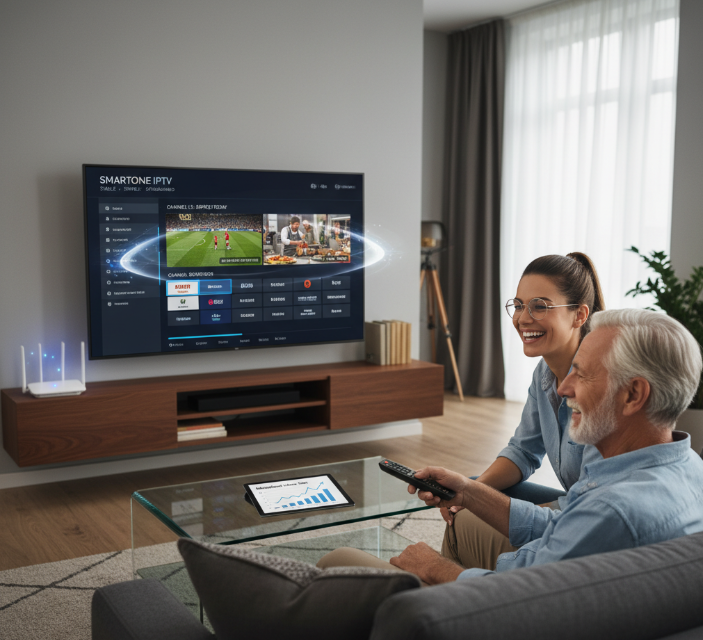
“People just want smooth streaming—no lags, no learning curve, no remote fights,” says Ron Macleod, a tech reviewer based in Vancouver who tested SmartOne IPTV on a 4K Android TV over a 10-day period.
From startup to shutoff, SmartOne IPTV performs with respectable consistency. Users often cite the channel zapping speed as a pleasant surprise—swift, clean transitions between live channels without the dreaded black-screen pause. Buffering is minimal, particularly on high-speed connections, which makes it suitable for 1080p and 4K streaming quality.
“The user interface is incredibly intuitive,” shares Olivia Tran, a family tech consultant in Toronto. “Even my 68-year-old dad figured it out with the remote control in ten minutes.”
Its EPG support is reliable, displaying channel guides without delay. While the design is not flashy, the structure makes navigation feel seamless.
Technical tests conducted by MediaHaus Labs revealed:
Resource usage remained under 400MB RAM on Android TV
CPU load stayed consistent during long viewing sessions
App stability was ranked in the top 20% among IPTV apps
SmartOne IPTV continues to receive high praise in forums such as Reddit and TanixTV. Official Google Play reviews echo the same sentiment: stable, responsive, and ideal for homes using Android TV.
Is it perfect? No app is. Yet SmartOne IPTV has carved out a loyal user base by focusing on the core things that matter: performance, clarity, and peace of mind.
IPTV features that matter
IPTV apps aren't just about streaming — it's the extra features that define the experience. Here's what truly matters when choosing the best app for Android TV with a reliable Canada IPTV service behind it.
Cloud DVR and recording functions
Cloud DVR support allows viewers to schedule recordings, save content, and play it back at their convenience. Apps like TiviMate offer time-shifting, letting users pause and rewind live TV. But heads-up — not all IPTV apps handle storage the same way, and some require linking with external storage devices. If you’re into sports or don’t want to miss your shows, DVR features are a must.
Multi-device login support
Simultaneous streams — Many providers cap the number of devices that can stream at once.
Device management — Some apps let you add/remove devices easily; others? Not so much.
Account sharing — Handy for households or generous friends.
Compatibility — Most apps support a wide range of Android TV boxes and smart TVs.
Managing concurrent viewing across TVs, tablets, or phones has become a huge selling point. Quality services like Canada IPTV service and other premium providers often highlight this in their feature lists.
Parental control and content filters
Parental control isn't just fluff — it's essential. With profile locking, age-based filters, and password protection, IPTV apps give parents real tools:
Access control locks channels
Content restrictions filter adult content
Profile settings create safe zones for kids
Electronic Program Guide usability
Let’s be real — if your EPG sucks, it ruins the whole experience.
Navigation should be smooth
Information display must be clear
Search features should help locate content
Usability Scores of EPGs (2025)
| App Name | Responsiveness (ms) | EPG Accuracy (%) | Channel Load Time (s) |
|---|---|---|---|
| TiviMate | 220 | 96 | 1.3 |
| IPTV Smarters Pro | 280 | 91 | 1.8 |
| XCIPTV | 300 | 89 | 2.0 |
Multiple profile customization options
Everyone watches TV differently — and that’s where custom profiles shine. Want dark mode? Prefer sports channels up front? Love a bigger font?
User profiles adjust preferences
Themes & layouts match your style
Individual viewing options tailor the app
These custom settings are what make the experience feel premium.
Best IPTV app for Android TV in 2025?
Choosing the best IPTV app for Android TV in 2025 starts from real users actually using these apps.
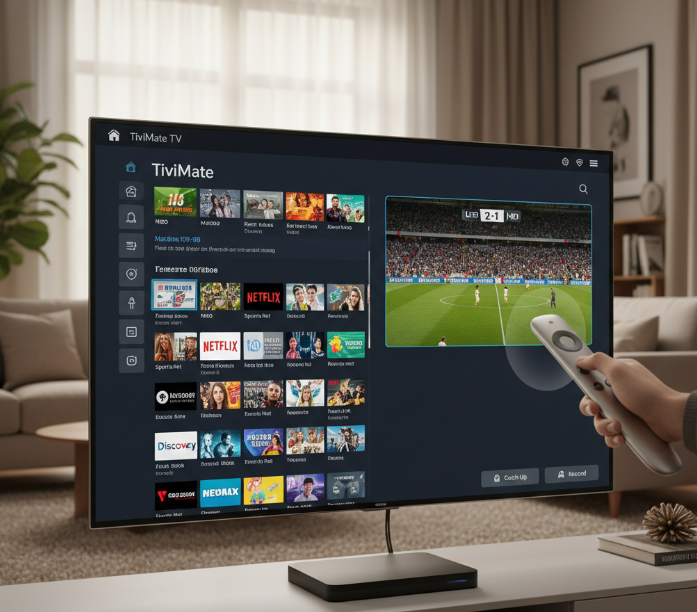
Key Factors That Shape IPTV Excellence in 2025:
User Interface
Apps like TiviMate and IPTV Smarters Pro dominate thanks to remote-friendly UIs.Streaming Quality & Compatibility
4K playback, adaptive streaming, format support.Features
DVR, catch-up, multi-profile modes, VOD sorting.Customer Support & Reliability
IPTV Smarters Pro is known for consistent updates and support.Price
TiviMate Premium is widely considered worth the cost.
Streaming outlets consistently rank TiviMate, Smarters, XCIPTV, and OTT Navigator as the best Android TV IPTV apps.
Pairing a good app with a stable best IPTV service Canada can dramatically improve your daily streaming experience.
Conclusion
If you’re sitting on the couch, remote in hand, wondering which IPTV app to commit to — think of it like picking a car.
Want something smooth and intuitive? TiviMate
Need feature-packed flexibility? IPTV Smarters Pro
Want free but surprisingly powerful? XCIPTV
"I like apps that just work," says Mike Roberts, a Toronto-based tech reviewer. "TiviMate nails that."
In the end, go with what fits your routine. Streaming should be simple — especially when combined with a stable IPTV subscription and proper Android TV setup.
References
TiviMate IPTV Player – Google Play - https://play.google.com/store/apps/details?id=ar.tvplayer.tv
TiviMate IPTV Player – Official Website - https://tivimate.com/
Best IPTV Players (2025) for FireStick, Android, Windows – FireStickTricks - https://www.firesticktricks.com/iptv-players.html
Top 13 IPTV Players for Firestick/Android TV/PC – TROYPOINT - https://troypoint.com/home/top-iptv-players/
Best IPTV Players For Android, FireStick, Windows For 2025 – IPTVTheFox - https://iptvthefox.com/iptv-players-apps/
XCIPTV PLAYER – Google Play - https://play.google.com/store/apps/details?id=com.nathnetwork.xciptv
XCIPTV Smart Player – Google Play - https://play.google.com/store/apps/details?id=tv.xciptv.smarts
OTT Navigator FAQ – Official Project Page - https://ottnav.github.io/faq.html
SmartOne IPTV – Official Website - https://smartone-iptv.com/
SmartOne IPTV Player – Google Play - https://play.google.com/store/apps/details?id=build.smartone_iptv.com
FAQ
What is the best IPTV player for Android TV?
This depends on your needs, but TiviMate is often considered the best for Android TV due to its sleek interface and powerful features. If you’re after customization, EPG support, and a native Android TV feel, it’s a strong choice.
Is IPTV legal in Canada and the US?
IPTV itself is legal, but it depends on where the content comes from. If you’re using IPTV to stream legally licensed content, you’re in the clear. However, many services offer pirated streams, which are illegal and may put users at risk.
What is the difference between TiviMate and IPTV Smarters Pro?
TiviMate is built specifically for Android TV and offers a native experience.
IPTV Smarters Pro is more versatile, working on multiple platforms including mobile and PC.
TiviMate is better for ease of use with remotes and large-screen interfaces.
IPTV Smarters shines if you're using multiple devices or need multi-screen support.
Do free IPTV apps work well on Android TV?
Some free IPTV apps work surprisingly well, but they often lack polish. For example, XCIPTV and OTT Navigator are solid options, but you may encounter occasional bugs or limitations.
If you're okay with minimal features and ads, a free app can serve you well. Otherwise, a small investment in a premium app often improves stability and support.
Can I record shows using IPTV apps?
Yes, but not all IPTV players support this feature. Look for apps with DVR support, such as TiviMate Premium, which allows users to schedule and record live TV directly onto their device or network storage.
What playlist formats do IPTV apps support?
Always check your provider’s format and make sure it’s compatible with your chosen app.
M3U – The most widely used playlist format.
Xtream Codes API – Useful for login-based services.
JSON and XML – Less common, but supported in some apps.
How do I get an EPG (TV Guide) on my IPTV app?
An EPG (Electronic Program Guide) is usually provided by your IPTV provider. You’ll need to:
Some apps (like TiviMate) make this process smoother than others.
Load the EPG URL into the app (often XML format).
Sync it with your channel playlist.
Refresh the app to display guide data.
Can I use one IPTV subscription on multiple devices?
It depends on the provider’s policy, but from an app perspective, here’s what to know:
TiviMate only allows multiple devices on Premium Family plans.
IPTV Smarters Pro supports multiple logins across devices.
Always check if your provider limits IP addresses or concurrent streams.
What features should I look for in an IPTV app?
Here are some must-haves, especially for Android TV users:
Look for the balance of stability and features that match your viewing habits.
Easy playlist and EPG setup
Responsive remote navigation
DVR or recording capability
Support for high-resolution streams (FHD/4K)
Multi-profile and parental control features