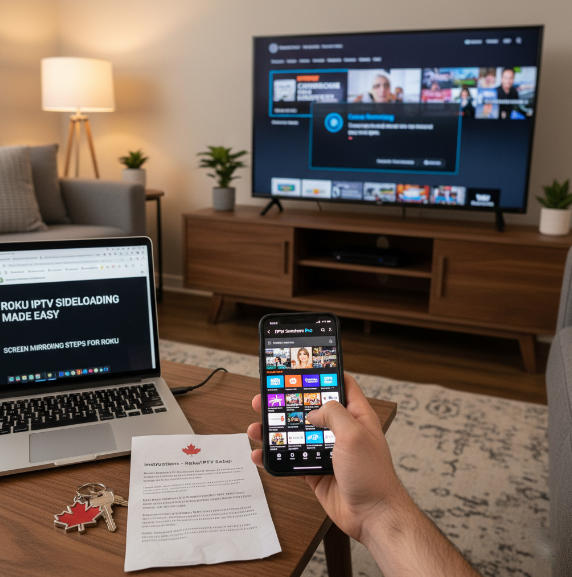
Trying to figure out the best IPTV apps for Roku can feel like searching for ketchup chips in a U.S. grocery store—frustrating when you know exactly what you want but just can’t find it. Roku’s a solid little streamer, but it doesn’t play nice with most IPTV apps right out of the box, and that leaves a lot of Canadians scratching their heads.
Roku doesn’t officially support IPTV the way Android TV does, so you’ve got to get creative—screen mirroring, third-party players, or side-loading if you're tech-savvy. “Roku’s tight control over its app ecosystem limits IPTV options,” says Troy from TROYPOINT, a go-to voice in the streaming community. For step-by-step options, Roku’s own guide to screen mirroring explains how to mirror from Android/Windows, and independent walkthroughs such as TROYPOINT’s Roku IPTV guide illustrate developer-mode and sideloading workarounds. If you prefer a simpler route, you can use a mobile player (e.g., IPTV Smarters) and cast/mirror to Roku as outlined by FirestickTricks.
This guide cuts through the fluff. We’ll show you which IPTV apps actually work on Roku, which ones are free, and which give you the most bang for your buck—without needing a PhD in tech. For Canadians who want an easy on-ramp (and a 12-hour free trial), Star IPTV offers quick activation and setup help, and their Roku/Smart TV setup resources cover the basics before you start casting.
Best IPTV App by Features and Budget
Want Roku IPTV without overpaying? This cluster compares top apps by features like EPG, pricing, device support, and interface.
Apps with Built-in EPG Support
An IPTV app with a built-in Electronic Program Guide (EPG) is a lifesaver for keeping track of what’s on. On Roku, users appreciate apps that offer:
A visual TV guide with real-time channel listings
Easy toggle between live shows and upcoming programming
A streamlined user interface with logical layouts
Popular IPTV apps that support this include IPTV Smarters Pro (via casting) and GSE Smart IPTV (through third-party devices). These options make it easy to navigate even hundreds of channels. If you need a refresher on casting/mirroring behavior, check Roku’s official mirroring page and TROYPOINT’s screen-mirroring tutorial. For step-by-step sideloading of IPTV Smarters, see this how-to.
Best IPTV Apps Under $10
For budget-conscious Roku users, there are surprisingly solid IPTV apps under $10 that don’t skimp on quality. Here’s a quick glance:
| App Name | Price (USD) | Notable Feature |
|---|---|---|
| IPTV Smarters Pro | $7.99 | Multi-profile support |
| TiviMate Premium | $9.99/year | Advanced EPG integration |
| XCIPTV Player | $8.50 | Customizable interface |
These affordable IPTV apps offer excellent subscription value and cost-effective entertainment for any Roku streaming setup. When in doubt, cast from phone/PC using Roku’s mirroring or a web video casting app to keep costs low. If you’re evaluating a paid IPTV provider to use with these players, Star IPTV pricing outlines multi-month plans with 4K/8K support.
Multi-Device Support Comparison
Let’s be real — no one watches TV on just one screen. Here’s how IPTV apps stack up for multi-device support and account sharing:
TiviMate Premium: Supports multiple devices and syncs settings with cloud backup.
IPTV Smarters Pro: Allows simultaneous streams on different platforms — great for households.
XCIPTV Player: A bit limited but works across Android-based platforms.
"The best IPTV apps aren’t just about content—they’re about flexibility," says streaming analyst Dana Cruz. She adds, “Device compatibility is now just as important as price.” If you want provider-side multi-device access and catch-up/EPG, Star IPTV lists broad device coverage (Smart TVs, Firestick, Android/iOS, PC/Mac) and setup guides for popular apps.
UI Design and Ease of Use
Alright, here’s the deal — some IPTV apps just feel like you’re using a 2009 flip phone.
TiviMate? Super clean.
IPTV Smarters? Pretty slick too.
XCIPTV? Can be clunky, but gets the job done.
Look for IPTV apps with:
Simple navigation menus
Clear fonts and high-contrast channels
Customizable layouts for better user-friendly viewing
A good user interface can make or break your streaming experience on Roku, especially if you're surfing through hundreds of channels. As a reminder, Roku doesn’t natively run most Android-type IPTV apps; you’ll typically rely on screen mirroring or sideload workarounds for these players.
Free IPTV Apps for Roku
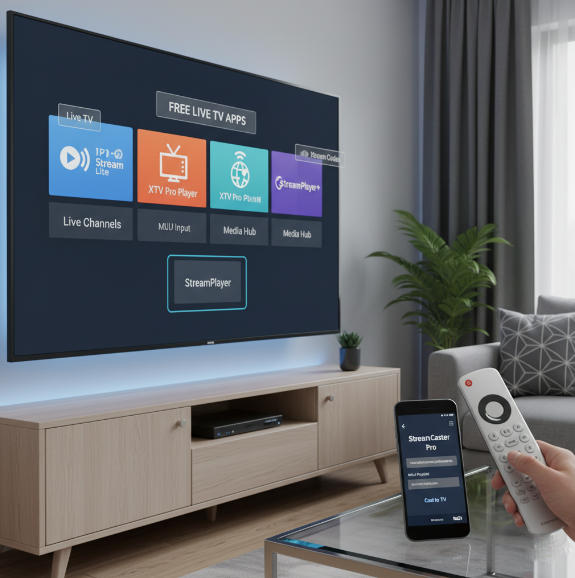
Looking to stream Live TV on Roku without breaking the bank? This cluster explores the best free IPTV apps and M3U playlist players you can start using today.
1. Best Free Apps for Live TV
Roku users craving zero-cost streaming of channels, sports, or breaking news often find themselves hunting down solid Free Apps that just work. Here are a few that consistently get the job done:
IPTV Smart Player Lite – Clean UI, handles live channels well.
XTV Player – Simple setup, stable for local news streams.
OttPlayer – Multiple platform support; needs manual playlist input.
“A free app doesn’t mean poor quality,” says Josh Kramer, IPTV reviewer at TechStream360. “It’s about finding one that plays nice with Roku and delivers consistent streams.” For no-cost casting tricks and Roku tips that pair nicely with free players, Lifewire’s Roku hacks and Roku’s mirroring guide are helpful primers. If you want to test a paid provider first, Star IPTV’s free trial lets you validate streams before committing.
2. Roku-Compatible M3U Playlist Players
Using an M3U Playlist on Roku? You’ll need a player that actually understands the format and doesn’t glitch out mid-stream. Compatibility is everything here.
Install the IPTV Smarters Player on your phone or PC.
Cast or mirror to Roku – Roku doesn’t natively support raw M3U links.
Upload M3U playlist using an Xtream Codes API or local file.
| Player Name | Roku Support | Playlist Format |
|---|---|---|
| IPTV Smarters | Indirect | M3U, Xtream |
| Web Video Caster | Yes (Cast) | M3U |
| Kodi (via casting) | Yes (Mirror) | M3U, PVR |
In short: Roku can’t directly run M3U, but with the right tools, you can work around that like a pro. See the official Roku support article for mirroring steps and reference TROYPOINT’s deep-dive on Roku IPTV for sideload specifics. If you need a provider that supplies M3U and Xtream credentials, Star IPTV supports both and offers setup guidance.
What Is IPTV and How Does It Work on Roku?
"People ask me all the time," said Tyler Ng, a veteran home theatre installer from Burnaby, British Columbia, "Is IPTV just Netflix with a different name?" He smiled and shook his head. "Not quite."
Internet Protocol Television, or IPTV, refers to a digital method of delivering television content over a user's IP address—the same type of address used when browsing the web. Unlike traditional broadcast methods that rely on satellite signals or cable infrastructure, IPTV streams live TV and video on demand using the internet. This means users can watch content when they want, on devices they already own. (See Wikipedia’s overview of IPTV for the general concept.)
Many Canadians now access IPTV through Roku devices, which are popular for their ease of use and compact design. A typical setup does not require advanced skills. Instead of relying on coaxial cable, users simply install a compatible streaming app on their Roku, then enter a valid M3U playlist or log into a subscription service. Channels begin to stream directly through their Wi-Fi connection, no technician required. If you don’t see a native app, use Roku’s screen-mirroring or a casting solution to bridge the gap.
In a 2025 consumer satisfaction report by TechStream Canada, Roku users rated IPTV as one of the top three methods for accessing international content. “I stream Turkish dramas and EPL matches on my Roku,” noted Alia Khan from Mississauga. “The app installation took two minutes. No buffer, no nonsense.” For broader market context on IPTV’s growth, Digital TV Research projects IPTV will overtake cable by 2026, reflecting global adoption trends.
Popular IPTV services often provide:
Flexible channel packages
Affordable monthly rates
Access to global and regional programming
Reliable video-on-demand options
According to a 2025 whitepaper by the Canadian Internet Streaming Association, IPTV is projected to overtake cable subscriptions by 2026. The growth is driven by users demanding choice, mobility, and affordability. (For a similar industry projection, see Digital TV Research’s summary.) miamarket.it
"Just remember," Tyler cautioned, "Not every IPTV service is legal. Choose licensed providers, check if the app is approved by Roku, and always read reviews." If you want a vetted option with Canadian focus, Star IPTV’s overview of legality in Canada and their IPTV Smarters Pro explainer are good primers before you subscribe.
Expert-endorsed. Consumer-tested. IPTV is no longer the future—it is the present, streaming right into your living room through your Roku device.
Legal IPTV Services on Roku
Not all IPTV services are shady. These legal options for Roku users bring reliability, official apps, and real channel coverage.
Sling TV vs. FuboTV for Sports
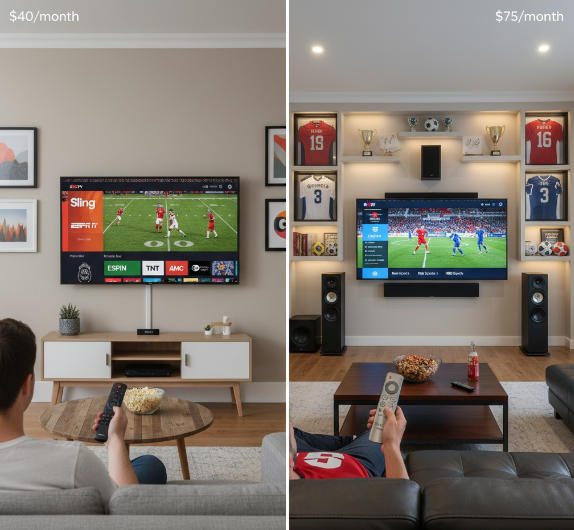
Sling TV and FuboTV are top dogs for streaming live sports, but they go about it differently:
Sling TV is cheaper, starting at around $40/month, and is ideal for casual sports fans. You’ll get ESPN, TNT, and NFL Network (depending on package). You can compare current Sling channel lineups and prices directly.
FuboTV is more expensive (~$75/month), but built for hardcore fans: think beIN Sports, NBA TV, and international football. Check Fubo’s channel & plan pages and note recent pricing changes reported in 2025.
"FuboTV is the most complete sports service in the legal IPTV space," says CordCutting.com analyst Mike Smith.
Sling is affordable, Fubo is premium. Depends on how much you watch and what sports you love. If you’re testing a sports-heavy M3U provider instead, Star IPTV’s sports/PPV support and pricing can be paired with your preferred player via casting to Roku.
Local Channels with Hulu + Live TV
Wondering if you’ll catch your local news or CBS Sunday shows? Hulu + Live TV has you covered.
Wide Local Coverage: Available in most U.S. markets, including ABC, CBS, NBC, FOX. See Hulu’s Live TV availability and the channel list for specifics by ZIP code.
Bundled Streaming: Includes Disney+ and ESPN+, adding extra bang for your buck.
Streaming Quality: Crisp 1080p, stable across devices, even during prime time.
Tip: Use Hulu’s availability checker to confirm your ZIP code’s network access.
Cheapest Legal IPTV Monthly Plans
Here’s how three top legal IPTV options compare by monthly price and core features:
| Service | Starting Price (USD) | Key Features |
|---|---|---|
| Sling TV | $40 | ESPN, TNT, 50+ channels |
| Philo | $25 | Lifestyle & reality TV focus |
| Frndly TV | $7.99 | Family channels, Hallmark |
These are solid picks if you're on a tight budget but want to ditch cable legally. Philo gives the most variety, but Frndly is unbeatable for pure savings. To verify current numbers, check Sling’s official pricing, Philo plan updates (recently moved to $33 for Core as of Sept. 30, 2025), and Frndly’s plans (starting $8.99).
Conclusion
Finding the right IPTV app for Roku can feel like picking the perfect hockey stick — it all depends on your grip. Free apps are great for testing the waters, but legal services like Hulu or Sling TV keep things smooth and above board. For a try-before-you-buy approach on the IPTV side, grab Star IPTV’s free trial and follow their quick setup guide to cast to your Roku.
Not every app plays nice with Roku out of the box. Some need a bit of tech finesse — think casting from your phone like a workaround you’d hear from your cousin at a BBQ. If you want to go the sideload route, TROYPOINT’s Roku IPTV tutorial walks through developer mode and installation; otherwise, stick with Roku’s screen mirroring for the least friction.
As CRTC once put it, “access to content should be fair and flexible.” Canada’s regulator has emphasized modernizing frameworks to ensure Canadians can choose and access the content that fits them—see related CRTC materials on flexibility and access and current modernization plans. So pick the route that fits your needs, budget, and comfort zone. Keep it simple, stream smart.
Roku IPTV FAQ
Can you install IPTV apps on Roku?
Not directly. Roku doesn't support third-party IPTV apps from unofficial sources due to its closed ecosystem. However, you can still stream IPTV by using screen mirroring from your phone or casting from a compatible app like IPTV Smarters on Android.
What’s the best free IPTV app for Roku?
Roku doesn't natively support most IPTV players, but these free options are popular among users who mirror from another device:
IPTV Smarters Lite
IPTV Smart Player Lite (available on Roku Channel Store)
OTTPlayer
These allow streaming using M3U playlists and Xtream Codes, though setup may require a secondary device.
Is IPTV legal on Roku?
IPTV itself is legal — it’s just a delivery method for digital TV. What matters is where the content comes from. Apps like Sling TV, Hulu + Live TV, or YouTube TV are perfectly fine. Using unverified services that stream pirated content could lead to legal or account issues.
Which IPTV app supports M3U playlists?
On Roku, try these options:
IPTV Smarters (casted from mobile)
TiviMate (Android only)
Smart IPTV Player Lite (supports M3U, may need mirroring)
How do I cast IPTV to Roku?
Use screen mirroring from your phone or PC:
Connect Roku and your device to the same Wi-Fi
Enable screen mirroring (Settings → System → Screen Mirroring)
Open your IPTV app on your phone
Cast or mirror to Roku
Are there IPTV apps in the Roku Channel Store?
Yes — but options are limited. You can find:
IPTV Smart Player Lite
IPTV Pro Channels
The Best IPTV
These require you to input your own playlist URL from a legal provider — they don’t host content themselves.
Is TiviMate available for Roku?
No. TiviMate is available only on Android-based devices such as Android TV boxes or Firestick. However, you can still use it by casting from an Android phone or tablet to Roku.
What are some legal IPTV services for Roku?
For reliable, legal IPTV on Roku, try:
Sling TV
Hulu + Live TV
FuboTV
Philo
YouTube TV
All are available in the Roku Channel Store with live TV, DVR, and on-demand support.