Scams are getting slicker—and if you’re buying iptv tv online services in bulk, the risk isn’t just losing a few bucks. It’s refunds, chargebacks, angry customers, and brand damage that sticks.
When an IPTV provider ghosts you mid-season — right as customers are trying to watch playoffs, PPV, or weekend football — they’re not emailing PayPal. They’re emailing you.
Suddenly:
Your inbox is blowing up.
Social DMs are full of “scam” accusations.
Reseller groups are tagging your name.
Clients are asking for refunds, and you’re stuck cleaning up the mess.
We’ve heard from StarIptv’s senior engineer, Mike Tran: “Most cheap IPTV resellers don’t realize how fragile their supply chain is until it snaps — and then they’re left with hundreds of angry subscribers and no leverage with upstream providers that vanish overnight.” That’s not a headache you want.
Some deals look sweet on the surface. But when the streams buffer, the EPG is broken, or channels drop out mid-match, your credibility takes the hit.
Think of this article like a buyer’s checklist with street smarts built in. You’ll see how real IPTV infrastructure behaves, how scam operations cut corners, and how to sniff out red flags and find the real pros in the game.
Let’s walk through what to watch for so you can scale safely and stop rolling the dice with your brand.
How Do You Spot a Fake IPTV Provider?
Media Server and Transcoding Engine Warning Signs
Watch out for these dead giveaways of shady server setups — pro platforms don’t cut corners here.
Servers using outdated FFmpeg without GPU acceleration will struggle to deliver smooth streams. That means buffering for days.
If CPU load spikes even during low-demand hours, the hardware encoding is probably sketchy or missing altogether.
Misconfigured video codec settings lead to blocky visuals and out-of-sync audio — sloppy work from people who don’t expect to last long.
Scammy IPTV providers usually run:
Cheap, oversold VPS machines with no redundancy.
Zero monitoring or alerting.
No fallback nodes if a region goes down.
Legit providers invest in:
Dedicated transcoding farms.
Load balancing.
Proactive monitoring.
If they can’t show you their technical stack or give clear answers to basic questions like encoding formats, resolution ladders, and redundancy, assume it’s duct tape and hope holding everything together.

Fake Providers Using Stolen M3U8 Playlist and HLS Streams
Here's what sketchy stream thieves don’t want you to know:
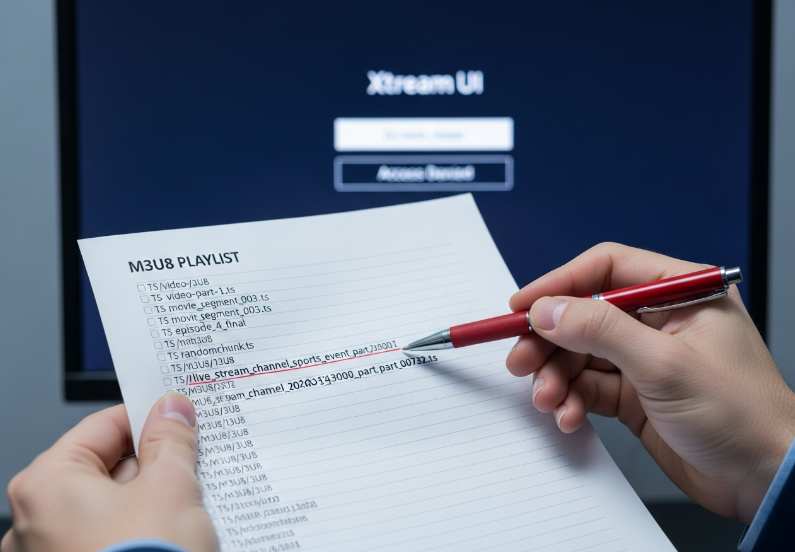
Stream sources that come from unknown playlist URLs are often scraped or pirated.
Look out for constant changes in TS file patterns — it’s a sign of unstable or stolen content.
If you’re given no backend panel, no Xtream UI, and only some random M3U file, you’re not a client — you’re a liability.
Reliable IPTV platforms offer:
Stable M3U/M3U8 links.
API access.
Portal logins for resellers.
If all you see is a text file and vague promises, they probably don’t own anything they’re reselling.
Scam Signals in CDN and Edge Node Infrastructure
Scammers love to mention “CDN” without understanding it. They’ll tell you:
“We use global CDNs” — but can’t name providers.
“Edge nodes everywhere” — but can’t say which cities or regions.
“99.99% uptime” — but have no historical logs or proof.
Ask for:
Ping tests from real Canadian locations.
Traceroute or network maps.
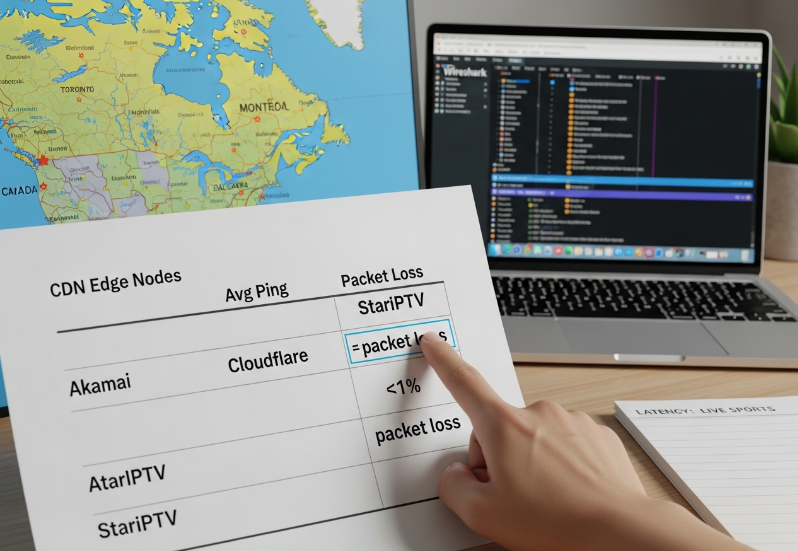
Real-world metrics (latency, packet loss, jitter).
If it all sounds like marketing copy and no one can show live metrics, assume the “CDN” is just a single rented server hoping it doesn’t crash.

Red Flags in Server Uptime and Stability Metrics
Scam providers:
Bounce servers frequently.
Swap IPs.
Hide behind excuses like “maintenance” for days.
Ask directly:
What’s your historical uptime over the last 6–12 months?
How many outages lasted longer than 10–15 minutes?
Do you log and share uptime reports?
If they can’t provide historical data — not just promises — you’re walking into a black box.
Server Performance and Stability: Real vs. Fake Providers
Ping, Packet Loss, and Jitter: What Really Matters
You don’t need to be a network engineer to spot trouble. Just test:
Ping: If latency spikes beyond 100–150 ms consistently from Canada, live sports will feel laggy.
Packet loss: Anything above 1–2% starts causing visible issues.
Jitter: Wild fluctuation in response times means unstable playback.
Scammers hide behind:
“It’s your ISP”
“Use a VPN”
“Our server is under DDoS”
Legit providers:
Show repeatable test results.
Have multiple routes or backup nodes.
Can explain where the bottleneck sits (ISP, routing, or server).
Comparing Legit vs. Scam Infrastructure with Real Metrics
Delivery Quality Comparison
| Provider | CDN Edge Nodes (Canada) | Avg Ping (ms) | Packet Loss (%) |
|---|---|---|---|
| ScamIPTV | 1 | 145 | 12% |
| StarIPTV | 7 | 38 | <1% |
| GhostFlix | 0 | 199 | 18% |
Table tells the tale — real providers invest in real infrastructure.
Low-Quality 4K Resolution Claims Without Adaptive Bitrate Streaming
Looks can lie — especially when it comes to fake 4K.
No Adaptive Bitrate Streaming (ABR)? That “4K” will stutter or fail to load when networks slow down.
Many scammers just upscale SD content with poor compression to fake HEVC (H.265) quality.
Frame rate jumps or drops? That’s a dead giveaway the provider isn’t delivering real 4K UHD.
Short version: if it looks fuzzy and crashes when your Wi-Fi isn’t perfect, it ain’t legit.
Playlists, Playback, and Panel Security Red Flags
Fake Panel Dashboards with Limited or Fake Analytics
A real IPTV admin panel shows:
Concurrent connections.
Session durations.
Device types.
Channel-by-channel usage.
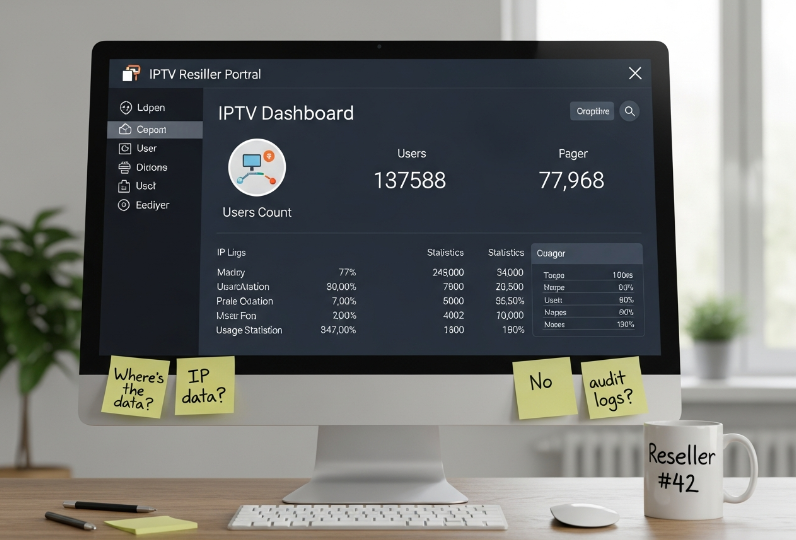
Scam operators often offer:
A barebones panel with only user counts.
No IP-based session tracking.
No logs or audit trails.
If your “reseller portal” looks like a hobby project with missing or broken graphs, assume they’re hiding something — or there’s nothing real behind it.
Weak User Authentication and Missing Digital Rights Management
Three fast ways to test if a provider cares about protecting your business:
No DRM? That means no Widevine, FairPlay, or PlayReady — and no real control over who sees your streams.
If there’s no tokenization or session expiry, users can freely share links, and you’ll have paying customers competing with freeloaders.
No device limit policies? That’s a recipe for abuse and sudden server overload.
Scammers rarely invest in DRM or access control — because they’re not planning to stay long enough to worry about content security or copyright enforcement.
Suspicious M3U8 Playlists with Unstable URL Structures
Look closely at the structure of the playlists:
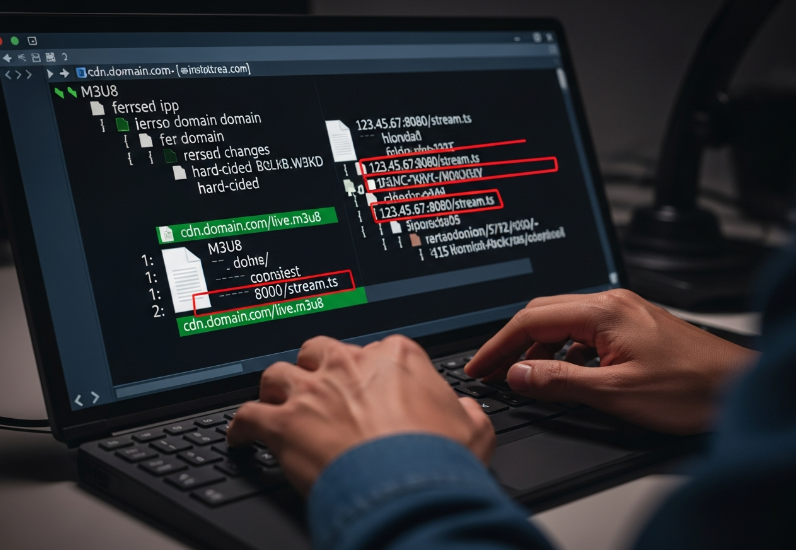
Constantly changing domain names or paths in M3U8 files = unstable backend.
Hard-coded IPs instead of domain names = amateur hour.
Different ISPs in Canada showing wildly different URLs for the “same” channel = inconsistent routing or patchwork content sources.
Legitimate providers build consistent, documented playlist structures. Random-looking URLs that change every week usually mean someone is scrambling to stay online.
No TS Segment Cache or Session-Based Delivery
In serious IPTV setups:
TS segments are cached intelligently at the edge.
Users in the same region reuse the same cached segments.
Sessions are isolated and tracked.
Scam setups:
Serve all streams directly from origin with no caching.
Ignore load balancing.
Time out or fail during traffic spikes.
If a provider shrugs at questions like “Do you use edge caching or regional load balancing?” they’re not ready for real traffic.
Assessing Player Compatibility and Device Support
Limited Support for Popular Devices and Apps
Real providers openly list and test compatibility with key devices:
MAG boxes, Firesticks, Android TVs
Media players like VLC and web portals
Portals like Xtream Codes or Stalker middleware
If a seller says “it works everywhere” but gives you one app and no device list, that’s a shortcut you don’t want. No device matrix, no QA, no support? You're probably beta testing their mess — on your dime.
7 Checks Before You Buy IPTV TV Online
Testing Electronic Program Guide and Metadata Management Accuracy
Is the EPG accurate across time zones?
Are channel names, logos, and metadata standardized?
Do catch-up and VOD titles have meaningful metadata, or are they random numbers?
If the EPG is off by hours or missing? That’s not just sloppy — it’s a scam sign.
Free IPTV TV Online Services vs. Paid Ones
HLS Stability
M3U8 playlists from free sources often break, change, or disappear overnight.
Free streams rarely use professional CDNs — expect throttling, buffering, and random errors.
You’ll see bitrate fluctuations, broken segments, and constant buffering — especially during peak hours.
Paid, reputable services optimizing HLS delivery invest in:
Multi-region origin servers.
Proper segment duration tuning.
Observability and alerting for stream health.
When your customers are paying you, “but it was free” is not a valid excuse.
Bitrate Consistency, Buffering Patterns, and Transport Stream Analysis
Here’s what to test:
Run long viewing tests across multiple devices and ISPs.
Check whether bitrate stays within expected ranges for HD and 4K.
Watch for recurring buffering at the exact same timestamps — often a sign of poor encoding or overloaded origin servers.
Shady providers rely on you not checking. Professional ones expect you to test them.
Tracing RTMP, RTSP, and MPEG-DASH Stream Sources
Good IPTV platforms:
Are transparent about their streaming protocols.
Use modern delivery methods: HLS, MPEG-DASH, secure APIs.
Keep legacy protocols like RTMP/RTSP only where necessary and secured.
If every question about transport protocols gets a vague answer — or they claim “it’s all proprietary” — that’s a dodge, not a feature.
Evaluating Provider Transparency and Legal Standing
Is the Company Real or Just a Telegram Handle?
Before you wire money, check:
Is there a registered business name, address, or tax ID?
Do they issue invoices or only accept crypto, gift cards, or friends-and-family transfers?
Is support available via email, ticket system, or just a single chat app?
Scammers hide behind:
Anonymous usernames.
Disposable email addresses.
Closed channels once payments clear.
Legit providers don’t disappear when something breaks.
Auditing Digital Rights Management and Licensing Records
Look for DRM support like Widevine, PlayReady, and FairPlay — it's a sign the provider cares about licensing.
Ask if CRTC compliance or Copyright protection policies are in place.
Verify if the stream uses proper Encryption and Authorization for access.
Check for CAS integration in their backend — it’s a must for secure content delivery.
As StarIptv's CTO, Mason L., once said: “If a provider dodges questions about licensing or DRM, they’re not building a business — they’re running from lawyers.”
Confirming Data Center Location and Latency from Canada
For resellers focusing on Canada, it’s not enough that servers are “fast.” They need to be close.
Test latency from major Canadian cities (Toronto, Vancouver, Montreal, Calgary).
Ask whether they use Canadian data centers or just North American ones.
Check if routes avoid unnecessary hops through Europe or Asia for domestic content.
If every test route looks like a world tour before it reaches origin, expect complaints from your customers.
Network and Connectivity Checks Specific to Canada IPTV
Optimizing ISP Routing, Peering Agreements, and Canadian Hops
Canadian ISPs and routing can be quirky. You need a provider that:
Has good peering with major Canadian ISPs.
Minimizes cross-border traffic for local channels.
Understands how Canadian network paths behave during peak traffic.
If your IPTV provider has never heard of specific Canadian peering or can’t explain where their primary routes sit, you’re gambling with performance.
Impact of CDN Edge Locations on Latency and Packet Loss
Delivery Quality Comparison*
| Provider | CDN Edge Nodes (Canada) | Avg Ping (ms) | Packet Loss (%) |
|---|---|---|---|
| Akamai | Owned | Toronto, Vancouver | Canada-based |
| Cloudflare | Partnered | Montreal, Calgary | Mixed |
| StarIPTV | Optimized | Toronto, Montreal | <1% |
*Example values for illustration — test your own results to verify provider claims.
You don’t have to become a network architect, but you do need to compare:
Edge coverage in Canadian cities.
Latency for sports and live events.
Stability during big matches or primetime TV.
If your provider has no visibility into CDN behavior, they're not ready for serious traffic.
Router Placement, Wi-Fi Congestion, and Local Network Health
Many IPTV issues blamed on “bad servers” are actually:
Cheap routers.
Congested Wi-Fi.
Poor local network design.
But here’s the catch: scam providers use this as a catch-all excuse.
Reliable providers:
Help diagnose whether an issue is local vs. upstream.
Provide basic guides on router placement, wired vs. Wi-Fi, and QoS.
Don’t blame your network for every failure.
Real or Fake? Verifying IPTV TV Online Legitimacy
Auditing Digital Rights Management and Licensing Records
Look for DRM support like Widevine, PlayReady, and FairPlay — it's a sign the provider cares about licensing.
Ask if CRTC compliance or Copyright protection policies are in place.
Verify if the stream uses proper Encryption and Authorization for access.
Check for CAS integration in their backend — it’s a must for secure content delivery.
As StarIptv's CTO, Mason L., once said: “If a provider dodges questions about licensing or DRM, they’re not building a business — they’re running from lawyers.”
Confirming Data Center Location and Latency from Canada
For resellers focusing on Canada, it’s not enough that servers are “fast.” They need to be close.
Test latency from major Canadian cities (Toronto, Vancouver, Montreal, Calgary).
Ask whether they use Canadian data centers or just North American ones.
Check if routes avoid unnecessary hops through Europe or Asia for domestic content.
If every test route looks like a world tour before it reaches origin, expect complaints from your customers.
Network and Connectivity Checks Specific to Canada IPTV
Optimizing ISP Routing, Peering Agreements, and Canadian Hops
Canadian ISPs and routing can be quirky. You need a provider that:
Has good peering with major Canadian ISPs.
Minimizes cross-border traffic for local channels.
Understands how Canadian network paths behave during peak traffic.
If your IPTV provider has never heard of specific Canadian peering or can’t explain where their primary routes sit, you’re gambling with performance.
Impact of CDN Edge Locations on Latency and Packet Loss
Delivery Quality Comparison*
| Provider | CDN Edge Nodes (Canada) | Avg Ping (ms) | Packet Loss (%) |
|---|---|---|---|
| Akamai | Owned | Toronto, Vancouver | Canada-based |
| Cloudflare | Partnered | Montreal, Calgary | Mixed |
| StarIPTV | Optimized | Toronto, Montreal | <1% |
*Example values for illustration — test your own results to verify provider claims.
You don’t have to become a network architect, but you do need to compare:
Edge coverage in Canadian cities.
Latency for sports and live events.
Stability during big matches or primetime TV.
If your provider has no visibility into CDN behavior, they're not ready for serious traffic.
Router Placement, Wi-Fi Congestion, and Local Network Health
Many IPTV issues blamed on “bad servers” are actually:
Cheap routers.
Congested Wi-Fi.
Poor local network design.
But here’s the catch: scam providers use this as a catch-all excuse.
Reliable providers:
Help diagnose whether an issue is local vs. upstream.
Provide basic guides on router placement, wired vs. Wi-Fi, and QoS.
Don’t blame your network for every failure.
Billing, Compliance, and Legal Exposure in Canada
Red Flag 1: No Legal Entity, No Tax, No Business Trail
If your IPTV “supplier”:
Has no registered business.
Operates under a generic name.
Doesn’t issue invoices or receipts.
…then you’re not dealing with a business. You’re dealing with a risk.
When things go wrong — and they will — you have:
No legal recourse.
No proof of purchase.
No one accountable.
Don’t tie your brand to a ghost.
Red Flag 2: Crypto-Only Payments with No Refund Policy
Watch for:
Crypto only, no receipts, no refund policy. Legitimate IPTV subscriptions from trusted providers in Canada are upfront about payments, taxes, and refunds.
Red Flag 3: Buffering Nightmares with Zero Support
Got a 4K subscription and it buffers like it’s 1999? That’s not a glitch—it’s a sign.
Here’s what scam operations do:
Stall support replies.
Blame “upstream issues.”
Ignore your tickets altogether.
Meanwhile, your subscribers are asking for refunds.
Red Flag 4: Zero Mention of VPN or Legal Info
Any provider selling IPTV in Canada should acknowledge the legal grey zone. If a seller says, “VPN? You don’t need that,” run.
VPN support shows awareness of local ISP throttling.
Good providers give guidance without promising “100% safe” or “no risk ever.”
Anyone who guarantees zero legal exposure is either lying or doesn’t understand the rules.
Support, Communication, and Long-Term Stability
Evaluating Support Responsiveness and Real-Time Incident Handling
Before you commit:
Test support with pre-sales questions.
Ask technical questions about protocols, devices, and regions.
Check response times and the quality of answers.
If replies are slow, vague, or copy-paste — that’s what you’ll get when things break.
Community Reputation and Reseller Feedback
Look beyond the provider’s own marketing:
Check reseller forums and communities.
Look for mentions of outages, missing channels, and refund disputes.
Notice patterns: one complaint is noise, dozens are a warning.
Lifetime Deals vs. Sustainable Pricing
“Lifetime IPTV for $50” sounds amazing — until the service disappears in six months.
Legit providers:
Charge recurring fees that support infrastructure, staff, and licensing.
Offer trials, discounts, or promos — but not magic lifetime everything.
If the math doesn’t work for them long term, the deal won’t work for you long term either.
Final Checklist: Avoiding IPTV Scams in Canada
Before you drop hundreds on an IPTV subscription, double-check for these red flags. Scammers in Canada prey on confusion, especially with technical stuff. If the trial feels off, trust that feeling.
Ask yourself:
Can they explain their media server and transcoding pipeline?
Do they have real CDN edge nodes in Canada with testable latency?
Are playlists, HLS streams, and DRM properly implemented?
Is there evidence of real business registration, billing, and support?
Do they acknowledge the legal context of IPTV in Canada?
If too many answers are “I don’t know” or “trust us,” walk away.
When you resell or depend on IPTV for your own brand, you’re not just buying channels. You’re buying infrastructure, legality, and reliability. Cheap shortcuts attract the fly-by-nights. Trust your gut, follow the facts, and don’t let a bargain today become a liability tomorrow.
Confirm streaming protocols like HLS or MPEG-DASH.
Check for proper user authentication and DRM.
Demand working features like EPG and Catch-up TV.
Always test before committing to wholesale deals.
Choosing the right iptv tv online provider is like picking the right foundation for your house — nobody sees it, but everything depends on it. Keep your eyes open, your questions sharp, and your standards high.
As Marshall McLuhan once said, "The medium is the message." The way your IPTV is delivered is part of the experience. Make sure your delivery platform speaks just as loudly as the content itself.
References
[HTTP Live Streaming (HLS) – Apple Developer - https://developer.apple.com/streaming/]
[Deploying a Basic HTTP Live Streaming (HLS) Stream – Apple Developer - https://developer.apple.com/documentation/http-live-streaming/deploying-a-basic-http-live-streaming-hls-stream]
[Digital rights management – Wikipedia - https://en.wikipedia.org/wiki/Digital_rights_management]
[Widevine DRM Overview – Google for Developers - https://developers.google.com/widevine/drm/overview]
[FairPlay Streaming – Apple Developer - https://developer.apple.com/streaming/fps/]
[Microsoft PlayReady – Official Site - https://www.microsoft.com/playready/]
[CRTC requires online streaming services to contribute to Canada's broadcasting system – Canada.ca - https://www.canada.ca/en/radio-television-telecommunications/news/2024/06/crtc-requires-online-streaming-services-to-contribute-to-canadas-broadcasting-system.html]
[Subscription traps – Competition Bureau Canada - https://competition-bureau.canada.ca/en/fraud-and-scams/tips-and-advice/subscription-traps]
[What is IPTV, and How Much Does It Cost in Canada? – WhistleOut Canada - https://www.whistleout.ca/Internet/Guides/what-is-iptv]
FAQ
How do I know if an iptv tv online provider is legitimate?
Look for working DRM and User Authentication systems.
Check if the Media Server and CDN are real and traceable.
They should offer Catch-up TV and an accurate Electronic Program Guide.
Legit sellers often show proof of licensing or business registration.
What makes a provider’s service unstable?
If the bitrate jumps around, or you keep getting frozen screens, it’s usually from poor latency handling, missing load balancing, or bad stream optimization.
What should I look for in a reliable IPTV TV setup?
It should run on stable protocols like HLS or MPEG-DASH.
Support for Set-top Boxes and Streaming Sticks matters.
Check for real features like Multi-screen support and Time-shifting.
Look for steady 4K quality and a proper, consistent Frame Rate.
Can a free iptv service be trusted?
Most free IPTV setups cut corners. No DRM, risky proxy servers, and missing Quality of Service are warning signs you shouldn’t ignore.
What technical signs reveal a fake provider?
No access to Video on Demand or a functioning EPG.
Streams may come from shady or constantly changing M3U8 sources.
No info on proper Router setup or Fiber to the Home availability and requirements.
How does iptv tv online benefit wholesale buyers?
It gives more control with tools like Middleware, centralized Media Servers, and robust Metadata Management—great for scaling and staying consistent across locations.
What hardware is essential for stable IPTV delivery?
A reliable Streaming Stick or Set-top Box for smooth viewing.
A solid Network Router with traffic shaping or QoS features.
An edge-based Media Server setup to keep speeds fast and reduce latency.
Backing from a capable Digital Decoder for quality signal handling.
Why is online verification important when buying IPTV?
Some shady sellers look great online but run fake setups. Make sure they have real user login systems, working video codecs, and legit, verifiable server locations.
Which streaming protocols should I avoid?
Stay away from services only using outdated RTMP.
If there’s no HLS or adaptive bitrate streaming, that’s a red flag.
No IGMP Snooping? That’s not great for busy or shared networks.
Modern IPTV should support MPEG-DASH or similar up-to-date streaming technologies.