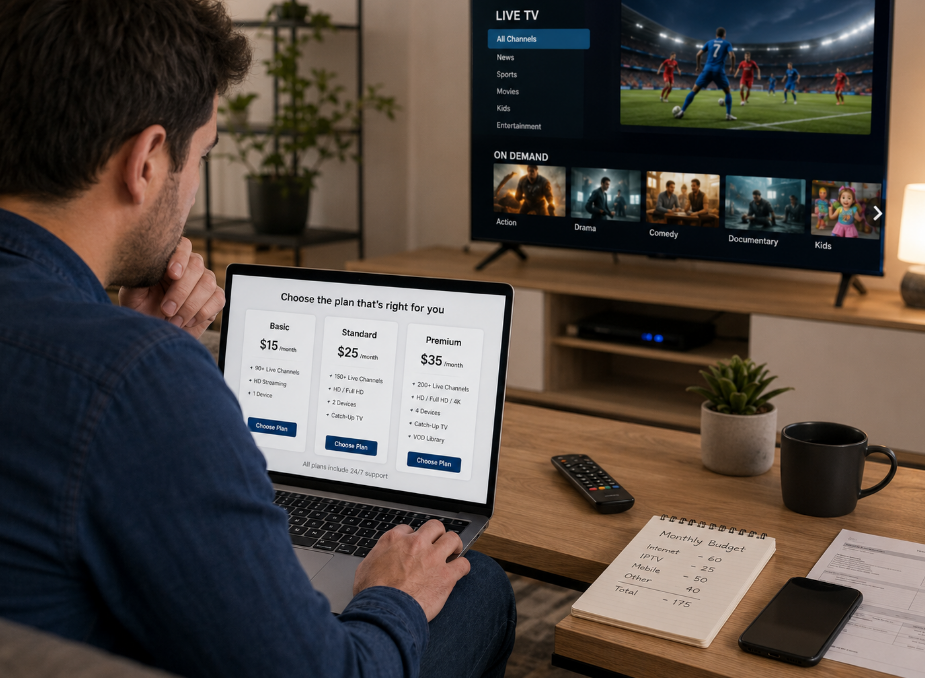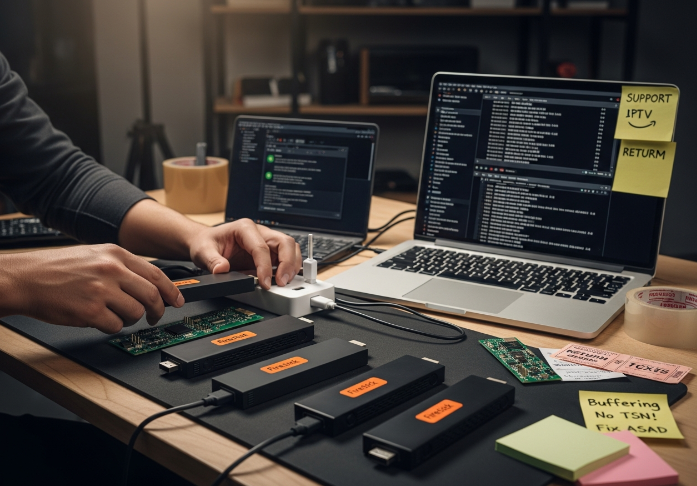
Running a wholesale operation around free iptv on Firestick can feel like juggling hockey pucks in the dark. One bad playlist or flaky app, and suddenly those “preconfigured” sticks you shipped last week are boomeranging back with complaints.
You might be seeing the same pattern: channels that work on Monday but die by Friday, buffering that makes live sports unwatchable, nervous questions about copyright, and support inboxes lighting up like the CN Tower. That’s brutal for your margins and your brand.
“Our partners don’t just want channels; they want stability at scale,” says a senior StarIptv engineer.
This guide walks through what free IPTV on Firestick really means for a serious reseller: the main source types, how free apps stack up against official ones, what kills stream quality, and which legal and safety questions you can’t shrug off. No fluff, just the stuff that affects your business.
Stick around and you’ll get a clearer path to Firestick setups that cut returns, calm support tickets, and give you a story you can confidently sell to your Canadian customers—while keeping your operation steady and your clients chill.
What Is Free IPTV and Is It Safe on Firestick?
HTTP Live Streaming, RTMP and Free IPTV Basics
HLS breaks video into small video segments for smoother playback.
RTMP was once the king for low-latency streaming.
Most free IPTV apps use these to get you live content without cable.
HLS, or HTTP Live Streaming, uses an adaptive bitrate strategy that adjusts quality based on your Wi-Fi speed. It sends small video segments using regular HTTP requests, making it super reliable. Meanwhile, RTMP (Real-Time Messaging Protocol) is all about low latency—great for live streams but older tech now. Together, they explain the tech behind most free IPTV channels you see floating around.
RTSP, HTTP Progressive and Older IPTV Apps
RTSP gives you remote control—think play/pause over a stream.
HTTP Progressive is a download-then-play approach.
Older IPTV apps still rely on these, often causing more buffering.
If you see long waits before playback, that’s HTTP Progressive kicking in.
For Firestick users, these older methods are hit or miss—pro tip: avoid them if smoother options exist.
M3U, M3U8 and XMLTV Playlist Formats Explained
M3U and M3U8 point to stream URLs—think of them like bookmarks for your channels.
XMLTV brings in the EPG (Electronic Program Guide)—that’s your on-screen schedule.
These formats define how content is organized and delivered to the user.
For example, a well-structured M3U8 file with XMLTV makes it feel like you’re using a premium TV app.
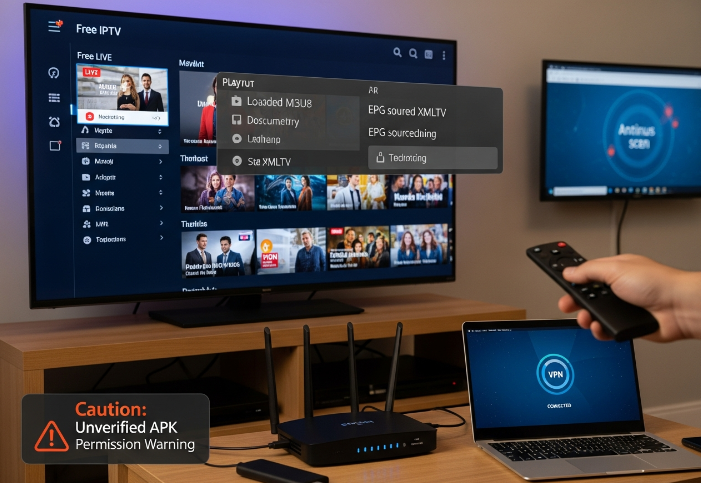
Malware Protection, Encryption and Safe Firestick Use
To keep your Firestick running smooth and your info locked down, make these habits routine:
🔒 Use VPN encryption to hide your streaming activity
🛡️ Install apps from trusted sources only
🧼 Run regular malware protection scans
🔐 Avoid APKs that request strange permissions
Security isn’t just a checkbox—it’s a dealbreaker when distributing free IPTV content to your users.
Copyright Infringement, Public Domain and Free IPTV Content
Some content is totally chill to stream. Other stuff? Not so much.
✅ Public Domain: Old films, educational stuff, certain news broadcasts = green light.
⚠️ Legal Gray Areas: Some international channels offered as free IPTV may be breaking licensing rules.
🚫 Copyright Infringement: This is the serious no-no. Pirated sports, paid cable rebroadcasts—these come with risks.
Firestick users often don't know the line between “just watching TV” and full-on piracy risks—this sub-chapter helps businesses educate users while protecting themselves. If you’re anywhere near grey-area streams, remember that copyright infringement is tied directly to unlicensed IPTV distribution under many regulations.
Firestick Processor, Memory and Router Requirements
Let’s get nerdy for a sec. Hardware matters more than folks think.
| Component | Recommended Spec | Why It Matters | Common Problems if Low |
|---|---|---|---|
| Firestick Processor | Quad-core or better | Handles video decoding | Sluggish menu & stutters |
| RAM (Memory) | At least 2GB | Multitasking & stream buffering | Freezing, crashes |
| Router | Dual-band (2.4/5GHz) | Better bandwidth handling | Signal drops |
| Wi-Fi Speed | Min. 25 Mbps | Smooth HD playback | Laggy streams, buffering |
Even free IPTV needs hardware support. If you're going to scale up a service offering or support clients, this is your cheat sheet to avoid performance complaints.
Types of IPTV Sources You Can Use on Firestick
Looking to figure out where all those free IPTV channels even come from?
Free IPTV Apps (Plug-and-Play Style)
If you're new to Firestick streaming, free IPTV apps are the easiest way to kick things off. These apps often come preloaded or ready to sideload as apk files, offering a basic list of channels.
Fast to install through third-party app stores or direct download.
Great for live sports and general channels, but sometimes the lists go down.
Popular choices: Live NetTV, RedBox TV, and TVTap.
💡 Note from a StarIptv support rep:
“We usually recommend people trying these apps start with a VPN running in the background. Keeps things a bit safer and avoids location blocks.”
M3U Playlists (The DIY Toolkit)
This is the more customizable route. M3U or M3U8 playlists are like the keys to the kingdom if you're okay doing a bit of manual setup. You can copy a playlist URL into your IPTV player and stream instantly.
Offers a huge variety of content—international channels, local news, even educational stuff.
Not always stable, so sourcing is key.
Often used with third-party IPTV players like TiviMate or IPTV Smarters.
M3U playlists are often shared in online communities or forums, and some businesses even compile and update them daily for their subscribers.
Addons (Power Users Only)
Kodi is the Swiss Army knife of streaming apps. It's open source and lets you add IPTV through community-developed addons. These often work well with XMLTV and EPG (Electronic Program Guide) data.
More stable if you use respected addons like The Crew or Seren.
Feels more advanced—there's some learning, but once it's set up, it’s golden.
Streams can include everything from music videos to documentaries.
📣 Quick tip from one of our senior StarIptv engineers:
“Kodi addons are great for bulk setups. You can preload entire libraries on a Firestick before sending units to clients—no need to explain how to install anything.”
Web Browser Streaming (Surprisingly Handy)
Don’t sleep on the browser. Just like on a laptop, web browsers on Firestick (like Silk or Firefox) can be used to access IPTV streams.
Sites like USTVGO, OKLiveTV, or FreeInterTV offer instant streaming.
No need to install anything—just bookmark and go.
Works well as a backup if your main app crashes.
However, these streams can get geo-blocked or spammy, so always run a VPN and avoid clicking weird ads.
APK Files from Third-Party Stores
This is where things get a bit spicy. Some of the most powerful IPTV services aren't on Amazon’s app store. You'll find them through platforms like Aptoide or even Telegram channels.
Often more up-to-date and include multi-screen support, subtitle options, and more.
Some even support JSON playlist imports or custom UI skins.
Always scan these files for malware before installing.
🤠 “We once had a reseller in Toronto sideload 500 Firesticks with a custom IPTV apk,” says StarIptv’s West Coast ops lead.
“Worked amazing until the CDN they were using got pulled—always have a backup playlist ready.”
Quick Peek at IPTV Source Types
| Source Type | Skill Level Needed | Stability | Customization | Popular Add-ons/Tools |
|---|---|---|---|---|
| Free IPTV Apps | Beginner | Medium | Low | TVTap, RedBox, Live NetTV |
| M3U/M3U8 Playlists | Intermediate | Varies | High | TiviMate, IPTV Smarters |
| Kodi Addons | Advanced | High | High | The Crew, Seren |
| Web Browser Streaming | Beginner | Low-Medium | Low | Silk Browser, Firefox |
| APKs from 3rd Parties | Intermediate | High (Varies) | Medium-High | Aptoide, FileLinked |
So, what’s the “best” IPTV source? Honestly, it depends on your comfort level and how much time you wanna spend tweaking things. If you're running a wholesale IPTV setup, it's smart to mix a few of these—keep it flexible and build in some redundancy.
🧠 Pro advice: Keep your m3u playlists fresh, always have a fallback browser site, and test apk files on a burner Firestick before pushing them live. Keeps your biz tidy and your users happy.
5 Ways to Find Reliable Free IPTV Channel Lists
Free IPTV only works at scale if your channel lists stay fresh, stable, and easy to grow for new Firestick users. Here’s how to treat playlists like real business assets.
Sourcing M3U8, XSPF and JSON Playlists at Scale
Scaling playlist sourcing for business means treating M3U8 playlists, XSPF files and JSON streams like inventory, not random links.
Build a small database for playlist management and versioning.
Tag IPTV content acquisition by country, language and content categories.
Schedule automatic checks so dead URLs drop out before users complain.
This way scalable data collection stays tidy, and your Firestick clients see stable free IPTV instead of roulette.
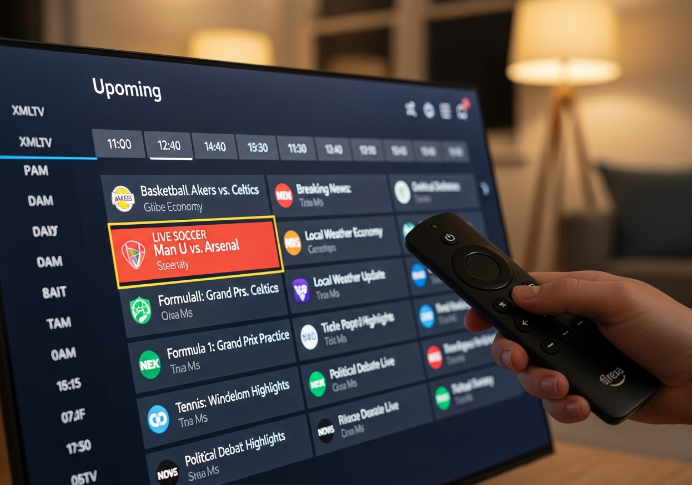
Using Electronic Program Guide for Live Sports and News Broadcasts
EPG integration makes free IPTV feel like legit cable for sports fans and news addicts.
Connect your app to XMLTV or similar TV guide data.
Map program schedules to live sports and news broadcasts for each channel.
Surface key broadcast events right in the Firestick interface.
With solid TV guide data and real-time programming, viewers stop guessing what’s on and start treating your service as their daily go-to.
Converting WPL and PLS Files into IPTV Playlists
Plenty of older libraries sit in WPL files or PLS files, just collecting dust. A little playlist conversion turns them into usable IPTV formats.
Use playlist tools to transform WPL and PLS into clean M3U or M3U8 files.
Check stream compatibility so media file transformation doesn’t break playback on Firestick.
Smart conversion lets you recycle existing audio and video libraries into fresh IPTV playlists without rebuilding everything from scratch.
Checking Bandwidth, Latency and Packet Loss Before Reselling
Network performance decides if your IPTV reselling brand looks pro or painful. Quick bandwidth testing, latency measurement and packet loss analysis give you early warning signals.
| Metric | Good Value | Warning Zone | Bad for IPTV |
|---|---|---|---|
| Bandwidth (down) | ≥ 25 Mbps | 10–24 Mbps | < 10 Mbps |
| Latency | < 40 ms | 40–80 ms | > 80 ms |
| Packet Loss | < 0.5% | 0.5–2% | > 2% |
Solid network diagnostics cut ticket volume and keep stream stability high.
Leveraging Content Delivery Networks for International Channels
For international channels, CDN optimization is your secret sauce for global streaming that doesn’t choke at prime time.
Push high-traffic playlists to edge servers close to your main regions.
Use CDN analytics to spot hotspots and tweak low latency delivery routes.
Pair CDNs with light geo-unblocking rules so Firestick users roam without drama.
As one StarIptv network engineer likes to say, “Great playlists die on bad delivery; CDNs keep them alive.”
Open Source Tools for XMLTV, Local News and Educational Channels
Open source software is perfect for building a reliable base of local news channels and educational content.
Pull XMLTV data with community EPG tools and schedule auto-updates.
Mix local news channels, school programming and documentary feeds into one curated bundle.
Use free IPTV solutions as your “safe starter pack” for new Firestick users.
Community programming like this feels friendly, low-risk, and gives your wholesale brand a trustworthy vibe from day one.
Official Apps vs Free IPTV Apps: What’s the Difference?
HTTP Live Streaming and MPEG-DASH Support
Adaptive streaming makes a huge difference:
HLS (HTTP Live Streaming) handles most Firestick apps like a champ
MPEG-DASH is newer and smoother in official apps
Bitrate optimization helps keep the stream from choking on weak Wi-Fi
Free IPTV apps? Some still use outdated video protocols that cause stutter
Big plus: adaptive streaming = fewer calls from frustrated users
“When an IPTV app supports MPEG-DASH and HLS, you’re basically guaranteeing it can survive real-world Wi-Fi conditions. That’s a make-or-break in customer satisfaction.”
Live Sports, Reality TV and Documentaries Catalogs
Official apps pay top dollar for broadcasting rights
You get reliable live sports coverage from major sports leagues
Free IPTV apps often rely on gray-area streams—prone to blackout
Reality TV? Way deeper libraries in paid services
Free apps = more filler, less premium stuff
Sports fans will notice — especially during real-time events
Pro tip: Users love documentaries in categories like crime or history — make sure your catalog taps into high-interest genres if you’re packaging IPTV for resale.
Digital Rights Management, Geoblocking and Encryption
DRM keeps content locked up tight in official platforms. It’s like a VIP area at a club:
Only licensed users get in
Encryption stops snoops from stealing streams
Geoblocking adds a second gate — tied to your IP address
On the flip side, free IPTV apps rarely respect licensing rules. Sure, you can sneak around with a VPN, but that’s a headache for users and a risk for resellers. DRM makes the big difference in content security — especially for intellectual property owners looking to protect their cash cows.
Parental Controls, Subtitles and Multi-screen Support
Let’s compare features — the official apps bring the heat:
| Feature | Official Apps | Free IPTV Apps | User Impact |
|---|---|---|---|
| Parental Controls | Full (PIN, age limits) | Often missing | Risky for families |
| Subtitles | Multi-language, accurate | Inconsistent | Poor accessibility |
| Multi-screen Support | Up to 4 devices | 1–2 devices (iffy) | Frustration in homes |
Why does it matter? Because your users aren’t just tech nerds. Families want content filtering, closed captions, and the freedom to stream on multiple screens. Missing these = support headaches and higher churn.
Aspect Ratio and Hardware Acceleration Differences
Here’s the skinny in everyday terms:
Aspect ratio support affects how content actually looks.
Official apps = smooth transitions between 16:9 and 21:9.
Free apps? Sometimes you get stretched faces or black bars.Hardware acceleration taps into your Firestick’s GPU.
Official apps: super efficient.
Free ones? Might lag on older sticks without GPU support.Performance optimization is what sets premium apps apart — they don’t just stream, they render and process smart.
So yeah, official apps are smoother, faster, and just... less annoying.
Buffering, Lag, Black Screens? Fix Common Free IPTV Issues
When your Firestick streams freeze or die mid-match, it’s not just annoying — it’s a red flag. Let’s iron out those glitches before users rage-quit.
Diagnosing Bandwidth, Gateway and DNS Server Problems
Run a speed test to check your network speed.
Compare your result to Firestick’s streaming needs (min 15 Mbps for HD).
If your Bandwidth diagnosis fails, call your Internet Service Provider (ISP).
Check your default gateway and DNS server via router settings.
If DNS looks off, try switching to 8.8.8.8 or 1.1.1.1 for faster DNS resolution.
Flush your DNS cache if loading times feel sluggish.
Use tools like PingPlotter to sniff out network congestion or latency.
“Don’t wait until complaints flood in. Test bandwidth and DNS weekly—it’s cheaper than tech support.” — Troy M., Lead Support Engineer, StarIPTV
Reducing Buffer Size Without Increasing Packet Loss
📌 Let’s fine-tune your buffer size without trashing your stream quality.
A smaller network buffer means quicker stream start times.
But don’t go too low—packet loss kicks in fast with weak signals.
Use QoS (Quality of Service) on your router to prioritize IPTV traffic.
Stay under 20% CPU load on your Firestick for stable stream buffering.
Tweak buffer settings in IPTV apps like TiviMate or XCIPTV for smoother load.
| Buffer Size (sec) | Packet Loss (%) | Playback Delay (sec) | Recommended Use |
|---|---|---|---|
| 3 | 5% | 1.2 | Fast-loading Wi-Fi |
| 5 | 2% | 2.1 | Balanced performance |
| 8 | 1% | 3.0 | High-latency setup |
Optimizing Router, Ethernet Cable and Wi-Fi Placement
Strong streams need strong signals. Here's how to make that happen:
Router optimization starts with placement: keep it off the floor, away from microwaves and thick walls.
Use an Ethernet cable instead of Wi-Fi if your Firestick’s near your router. Less interference, more juice.
Run a firmware update on the router monthly. New firmware = better signal management.
Upgrade to dual-band or tri-band routers to reduce signal interference and maximize Wi-Fi channels.
Try using a mesh system or access point if your Wi-Fi doesn’t reach every corner.
Tip: Check your network range using free apps like NetSpot or WiFi Analyzer. Green means go!
Switching UDP Multicast, IGMP and Unicast Streams
Not all traffic's created equal — time to pick the right stream mode:
UDP Multicast
Sends one stream to many users.
Works great for local networks, but ISPs often block it.
IGMP protocol (with snooping)
Helps smart switches deliver Multicast only where needed.
Better for large IPTV networks.
Unicast streaming
One-to-one connection: more stable over the web, heavier bandwidth use.
Best for Firestick setups with strong individual connections.
When to switch protocols?
If streams lag at scale, go Multicast.
For individual home users on Firestick, Unicast wins for reliability.
Fixing Time Shifting and Video on Demand Stutters
Problem 1: Time shifting lags or freezes
Usually due to poor server performance or low storage speed on the backend.
Use apps that allow adjustable stream synchronization.
Problem 2: VOD skips or crashes
Could be overloaded content servers.
Try apps with built-in media player fallback like VLC or MX Player.
Quick Fixes:
Reduce simultaneous users accessing the same content.
Avoid 4K VOD on underpowered Firesticks—check processor specs.
Adjust cache settings in your IPTV app.
If all else fails? Offer clients a recommended app + Firestick combo you’ve already tested for smoother playback.
Worried About Legal Risks When Using IPTV on Firestick?
Understanding Digital Rights Management and Copyright Infringement
DRM is the gatekeeper for digital content. It stops unauthorized copying.
Copyright law protects intellectual property. Breaking it = infringement.
Licensing decides who gets to legally show what.
Piracy happens when content is shared without permission.
Legal risks? Fines, takedowns, even account bans.
End-to-End Encryption, VPN Tunnel and User Privacy
Encryption scrambles your data, keeping you safe from snoops.
E2EE ensures only you and the app know what you're watching.
A VPN tunnel masks your IP address and location.
Data security boosts privacy, especially on public Wi-Fi.
Choose VPNs with secure communication protocols and no logs.
Just don’t assume VPN = immunity. It protects you, not what you're watching. You still need to avoid sketchy IPTV apps that ignore encryption.
Geoblocking Rules for International Channels and Music Videos
Geoblocking is the silent blocker of your favorite shows. It's all about regional restrictions and licensing agreements. Some content is only meant for specific countries due to streaming rights.
Music videos often come with tight geoblocking due to rights holders.
Sports and international content are heavily affected.
Your IP address is the gatekeeper. Change it with a VPN, and bam—access changes.
But heads up: Even if you bypass the block, you might still be violating terms of service. So, use tools like VPNs smartly—not recklessly.
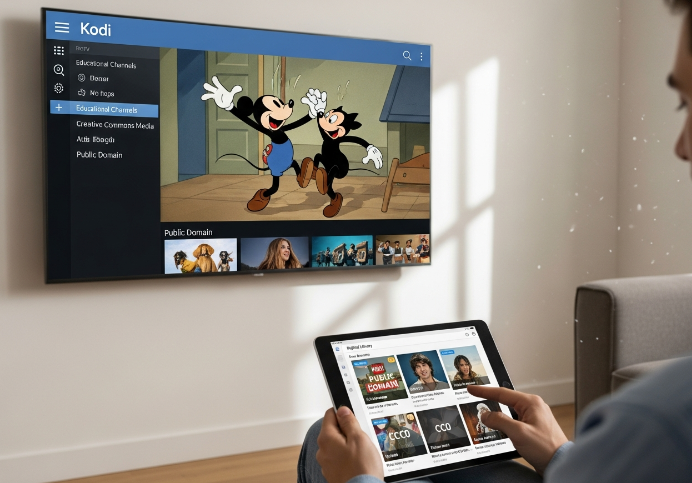
Safe Offers: Public Domain, Educational Channels and Open Source Apps
Public domain content? No license needed. It’s legal streaming all the way.
Channels with educational content from public broadcasters are fair game.
Use open source IPTV apps like TiviMate Lite or Kodi with community plugins.
Look for royalty-free content libraries or Creative Commons media.
Want safety? Stick with copyright-free and free content from vetted sources.
| Source Type | Legal Risk | Access Type | Example Use Case |
|---|---|---|---|
| Public Domain TV | Low | Open Access | Classic cartoons |
| Educational Channels | Very Low | Free Access | Language learning |
| Open Source Apps | Medium | Community | Community IPTV plugins |
This combo gives you a free IPTV experience without the DMCA headache.
Legal Considerations for Set-top Box, Smart TV and Display Panel Sales
The hardware game isn’t as safe as it looks. If you're selling a set-top box pre-loaded with apps that violate legal compliance, you could be in trouble.
Don’t ship devices with illegal IPTV apps installed.
Label content and device capabilities clearly to comply with consumer law.
Make sure display panels or smart TVs don't advertise illegal features.
Clarify your role: hardware distributor, not content provider.
Keep distance from piracy-focused forums or marketplaces.
Selling blank devices? No problem. Selling gear pushing shady streams? You're on the radar. Keep your branding clean to stay out of courtrooms.
Conclusion
So, what’s the bottom line? Getting free IPTV on a Firestick isn’t just some techy magic trick—it’s about knowing where to look, staying on the right side of the law, and making sure the streams don’t lag when your favourite game is on. For folks in the wholesale game, it’s also about offering something reliable your customers won’t toss after a week.
If you're thinking of making this part of your biz, here are a few things to keep in your back pocket:
Test your streams for lag, buffering, or black screens—nothing kills trust faster
Stick with playlist formats like M3U8 or XMLTV for smoother setups
Don’t sleep on bandwidth and server quality; they’re the unsung heroes
Offer local news or educational channels to stay on the safe side
Use VPNs and clarify content sourcing if you're selling boxes or setups
Things change fast in this space. Keeping an eye on what’s working and what’s risky makes all the difference. Stay sharp, keep things clean, and you’ll have fewer headaches down the road.
References
What is HTTP Live Streaming? | HLS streaming – https://www.cloudflare.com/learning/video/what-is-http-live-streaming/
What Is RTMP? 2026 Guide to Ingest for Live Streaming – https://www.dacast.com/blog/rtmp-real-time-messaging-protocol/
RTSP: The Real-Time Streaming Protocol Explained – https://www.wowza.com/blog/rtsp-the-real-time-streaming-protocol-explained
Using XMLTV for guide data | Plex Support – https://support.plex.tv/articles/using-an-xmltv-guide/
What is MPEG-DASH? | HLS vs. DASH – https://www.cloudflare.com/learning/video/what-is-mpeg-dash/
Netflix-recommended internet speeds – https://help.netflix.com/en/node/306
What is a virtual private network (VPN)? – https://www.ibm.com/think/topics/vpn
Illegal streaming and piracy are on the rise – https://www.pandasecurity.com/en/mediacenter/illegal-streaming-and-piracy-are-on-the-rise/
What Is Illegal IPTV And How Does It Work? – https://www.synamedia.com/blog/why-myths-sustain-iptv-piracy/
How to Install The Crew Kodi Addon (January 2026) – https://troypoint.com/crew-kodi-addon/
How to Install Seren V3 on Kodi (Full Setup Guide) – https://troypoint.com/seren-kodi-add-on/
FAQ
Is free IPTV on Firestick legal for my business?
Many owners feel nervous about rules and fines, and that’s normal. This answer gives a simple risk picture, not legal advice.
Unlicensed streams can trigger Copyright Infringement claims and ignore Digital Rights Management, which may hurt your brand.
Safer options include Public Domain movies, Educational Channels, Local News, and properly licensed International Channels.
Before selling preloaded Firestick, Set-top Box, or Smart TV bundles, speak with a lawyer and keep a clear takedown process.
How do I source reliable channel playlists for Firestick users?
Look for M3U8 or JSON Playlist sources, test Bandwidth and Latency, and favor playlists with XMLTV or Electronic Program Guide data so viewers easily find Live Sports, News Broadcasts, and Local News.
What streaming protocols matter most for stable free IPTV channels?
Owners feel frustrated when viewers complain about lag during important matches or shows. Picking the right protocols reduces those angry messages.
HTTP Live Streaming and MPEG-DASH adjust quality so Live Sports and News Broadcasts run more smoothly.
UDP Multicast with IGMP suits controlled networks; Unicast and HTTP Progressive fit smaller or mixed setups.
Old RTMP or RTSP feeds can still work, but often bring more Latency and device issues on modern Display Panels.
Which network setup best reduces buffering and black screens?
A good network protects your support team from constant calls. Use a strong Router with wired Ethernet Cable when possible, tune DNS Server and Gateway settings, and watch Packet Loss and Buffer Size for busy Live Sports events.
How safe are free IPTV apps compared to official Firestick apps?
Many users grab any app they see online, and you carry the blame when something goes wrong.
Official stores usually test apps for basic Malware Protection and Encryption rules.
Some third-party apps ignore Digital Rights Management, which increases legal and stability risks.
Encourage trusted apps, VPN Tunnel use, Parental Controls, and careful Remote Control permissions for side-loaded tools.
How can Electronic Program Guides increase viewer engagement?
A clear Electronic Program Guide helps viewers feel in control. With XMLTV data, people can quickly see Live Sports, Documentaries, and Educational Channels, turning your Firestick setup into something closer to a tidy set-top-box service.
What hardware do I need to support large free IPTV deployments?
Growth is exciting until devices start freezing in front of paying clients. Hardware planning keeps everyone calmer.
Use newer Firestick models with stronger Processor and Memory for big M3U8 lists and full XMLTV guides.
A solid Router, quality Ethernet Cable, and enough Bandwidth cut Packet Loss and Latency during crowded streams.
In hotels, bars, or offices, combine reliable Set-top Box devices, tuned Display Panels, and a dedicated Gateway or Proxy Server.
What security practices protect users from malware and data leaks?
Scan apps for malware before distribution, favor Encryption or End-to-End Encryption on HTTP Live Streaming endpoints, and suggest VPN Tunnel use so viewers feel safer streaming News Broadcasts, Music Videos, and International Channels on shared networks.
How can playlist formats improve my free IPTV service quality?
Good playlist design saves your support team time and makes the service feel more polished to normal families.
M3U and M3U8 lists help you group News Broadcasts, Reality TV, and Music Videos in a tidy way.
XMLTV and Electronic Program Guide data inside XSPF or JSON Playlist structures support smooth Time Shifting and Video on Demand.
Converting WPL or PLS archives into modern formats keeps catalogs alive with consistent Subtitles, Aspect Ratio, and Multi-screen Support.
Can I build a compliant streaming offer using public domain content?
Yes. Focus on Public Domain films, Educational Channels, and Local News, use Open Source players, respect Digital Rights Management rules, and host on a Content Delivery Network that follows clear copyright policies and responds quickly to complaints.