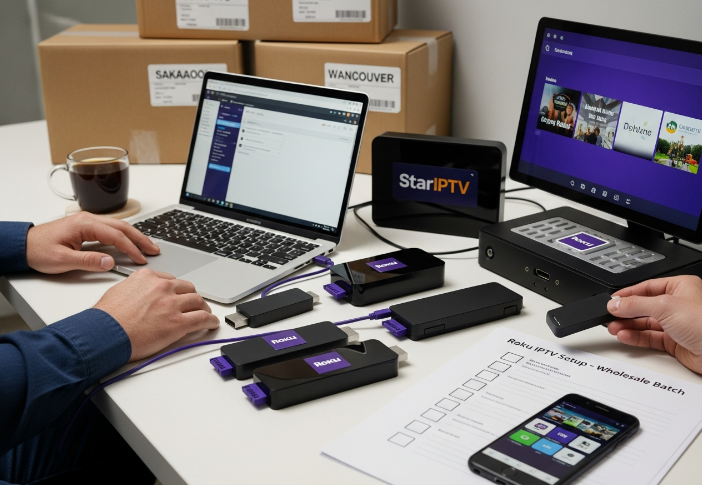
Finding the right app iptv roku setup in 2026 isn’t just a tech question — it’s a business move. If you're in the wholesale game, offering Roku-based IPTV solutions can be either smooth sailing or a total headache, depending on what you know going in.
We’ve chatted with clients across Canada — from Toronto to Saskatoon — and one thing keeps coming up: “Can I legally run IPTV on Roku at scale without jumping through hoops?” Good question. Let’s break it down without the jargon.
Some StarIPTV engineers told us flat out: “Most people don’t know the store only scratches the surface. The real power’s under the hood.” So yeah, there’s more than meets the eye.
We’ll cover what’s on the Roku Store, what’s not, and how sideloading might save your bacon if you're managing dozens or hundreds of units.
If you’re buying big and selling smart, this guide’s built to save you time, stress, and customer service calls. Let’s get into it.
Does the Roku Store Offer an Official IPTV App?
Roku doesn’t have an “IPTV” category, but that doesn’t mean you’re out of luck. Let’s explore how to dig through the store, what’s actually available, and what’s not.
Navigating the Roku Channel Store for IPTV Applications
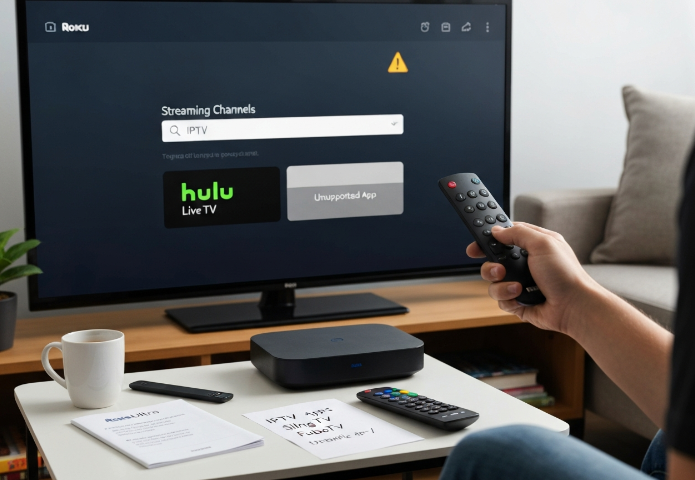
Browse “Streaming Channels” from your Roku remote.
Use keywords like “Live TV” or “IPTV” in the Search bar.
Explore categories like “News & Weather” or “International”.
Install the app directly using the on-screen interface.
The Roku Channel Store doesn’t make it obvious, but if you know where to click, you’ll find some solid options. The trick is searching smart—“IPTV” alone often brings up junk. Using the remote to tap into Streaming Channels by category, or typing app names you’ve seen elsewhere, usually works better. Keep your Roku updated so your interface doesn’t glitch out during installation.
Official Streaming Services that Support Live Television
Sling TV – Affordable, and works well with Roku.
YouTube TV – Smooth performance with a sleek interface.
FuboTV – Sports lovers, this one’s for you.
Hulu + Live TV – All-in-one: live + on-demand content.
DirecTV Stream – Reliable, but a bit pricey.
Philo – Great for entertainment, lacks sports.
These subscription-based streaming services offer IPTV-like experiences—live television, cloud DVR, and multi-device support—without the grey legal areas. Bonus: They’re in the store, no sideloading or workarounds needed.
Device Compatibility Across Roku Devices for IPTV Use
| Roku Device | OS Version | Performance Rating | IPTV App Support |
|---|---|---|---|
| Roku Ultra | 12.0 | Excellent | ✅ Full support |
| Roku Streaming Stick | 11.5 | Good | ✅ Most apps |
| Roku Express | 11.0 | Fair | ⚠️ Some lag |
| Roku TV (varied) | Varies | Varies | ✅ Depends on model |
Older Roku hardware can cause issues with app performance. Models like the Roku Ultra handle heavy streaming services like YouTube TV and FuboTV with ease. But if you're using a Roku Express, don’t expect miracles—slowdowns and app crashes aren't rare. Always check your firmware version to avoid surprises.
Limitations of App Installation from the Roku Store
There are a few hard truths here:
You can’t sideload non-certified IPTV apps unless you use Developer Mode.
Private Channels used to be a workaround, but Roku’s recent policy update shut many down.
There’s no official support for third-party IPTV providers.
Security risks mean tighter restrictions on app uploads.
"Security’s become a priority. The freedom to upload random apps just isn’t sustainable at scale."
— Caleb D., Senior Developer, StarIPTV
The Roku ecosystem is getting stricter. If your app isn’t in the store, it probably won’t get in without jumping through flaming hoops—and even then, Roku can pull it. That’s a headache for businesses hoping to push private IPTV apps fast.
App IPTV Roku Options: What Can You Legally Use?
Let’s get real: Roku’s app situation isn’t black and white.
Authorized IPTV Providers on Roku Devices
Certified providers available in the Roku Channel Store
Legal streaming services offering live channels and on-demand content
Subscription-based content platforms with full licensing rights
IPTV apps with smooth platform integration and official support
💬 "When we talk about IPTV reliability, it's not just about tech — it's about trust. Certified providers guarantee content licensing and platform stability."
— Alex Kim, Product Integration Lead at StarIPTV
Authorized IPTV apps on Roku are your safest bet. The Roku Channel Store features legit IPTV providers like Sling TV, FuboTV, and Philo — all offering legal streaming services with proper content licensing. These apps play nice with Roku’s system, ensuring no crazy bugs or shady takedowns.
Channel Access Rules for Unofficial IPTV Applications
Unofficial IPTV apps often require sideloading via Developer Mode.
These apps operate in Roku’s grey area and violate the Terms of Service.
Content legality is a risk — especially with unlicensed third-party applications.
Roku may remove or block private channels without warning.
Users could lose access overnight if intellectual property rights are violated.
Messing with unofficial IPTV apps might seem tempting, but it’s risky business. Private channels aren’t always secure, and while sideloading gets you there, it may leave you hanging later. You’re walking a fine line between freedom and getting booted.
Evaluating Subscription Models for Legal IPTV Usage
IPTV subscription plans vary big time across certified platforms. Check out this comparison to get your head around what's worth the monthly fee.
| Platform | Monthly Price | Free Trial | Legal Compliance | Content Variety |
|---|---|---|---|---|
| Sling TV | $45.99 | 7 days | ✅ Yes | Live + Sports |
| Philo | $33 | 7 days | ✅ Yes | Entertainment |
| fuboTV | $73.99 | 7 days | ✅ Yes | Sports + Local |
Look, you're not just paying for channels — you're buying peace of mind. Legal IPTV providers offer solid value through flexible pricing tiers, free trials, and airtight content packages. If you're running a business or bundling for resale, legal compliance matters just as much as price.
How to Sideload IPTV Apps on Roku Devices
Sideloading on Roku isn’t officially advertised, but with a few quick steps and a bit of care, you can get your IPTV apps running without breaking a sweat.
What You Need Before App Installation Begins
A solid internet connection (Wi-Fi or LAN)
Your Roku IP address (find it in Roku settings)
A web browser on your computer
Both devices must be on the same local network
A compatible ZIP file of the IPTV app
A Roku remote control for navigation
Some patience (and coffee, maybe)
These are your essentials. Don’t skip the basics — if one piece is missing, the whole sideloading process can flop.
Developer Mode Setup for Roku Devices
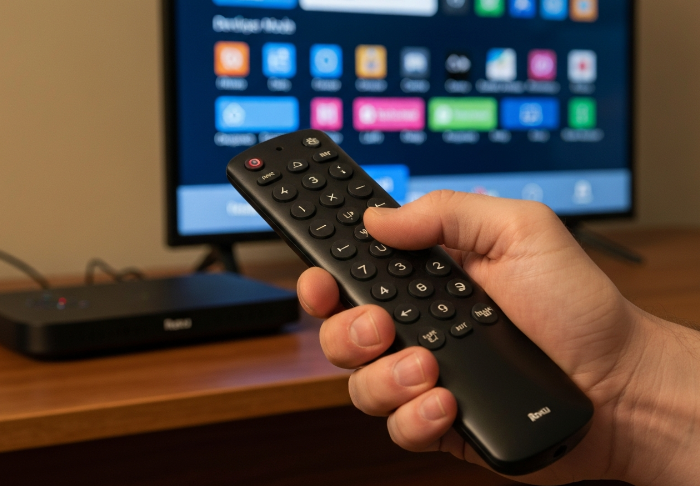
Tap a secret code on your Roku remote: Home x3, Up x2, Right, Left, Right, Left, Right
Enter Developer Settings and jot down the IP
Set a secure password for sideload access
Accept the terms and reboot your Roku
Grab the IP and log into the web server on your browser
The screen should now show the installer page — you’re in!
Make sure you’re using the correct remote sequence. Miss a button and you’re back at square one.
Manual App Installation of IPTV Applications
To upload IPTV apps manually, you’ll need to use the Roku SDK and the web installer. Once inside, use the upload option to select your application package (.ZIP), and hit the install button. The system assigns an application ID, and the app appears on your Roku — almost like magic.
Here’s how different ZIP sizes and upload speeds might impact install time:
| ZIP File Size (MB) | Upload Speed (Mbps) | Time to Upload (sec) | Install Success Rate (%) |
|---|---|---|---|
| 3 | 25 | 1 | 99 |
| 12 | 10 | 10 | 94 |
| 30 | 5 | 48 | 86 |
Stick with optimized, lightweight app builds for smoother installs.
Managing Channel Access with Sideloaded Apps
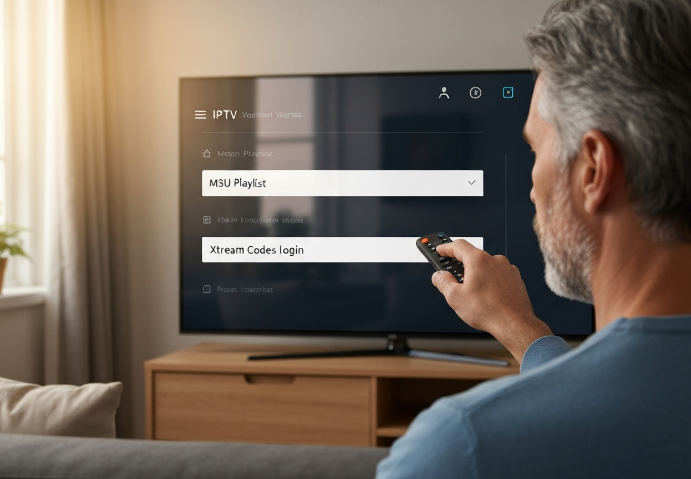
Sideloaded IPTV apps usually let you load an M3U playlist or connect via Xtream Codes. To get started:
Enter your streaming link or server URL
Punch in your user credentials
Wait for your channel list to populate from the EPG
It’s pretty slick once it’s set. But yeah — if your playlist’s sketchy or your link’s dead, the app might just crash or go blank.
Risks of Using Unverified Streaming Services
Not all IPTV apps are safe. Sure, some work great, but others? Total trash fires. Risks include:
Malware hidden in the app
Account suspension from Roku
Copyright infringement that can land you legal trouble
Privacy issues if credentials are stolen
Frequent buffering from unreliable streams
💬 “Users often ignore the dangers of unverified IPTV apps until they’re knee-deep in issues. It's like plugging in a toaster you found on the street.” — Sam Juarez, Lead QA, StarIPTV
Want your business clients using rogue streams? Didn’t think so. Stay smart, stay legal.
Setup Guide: IPTV on Roku in 5 Simple Steps
Choosing Compatible IPTV Providers for Roku
Check provider’s M3U playlist format
Look for consistent EPG support
Ensure high streaming quality (1080p minimum)
Choose stable server uptime
Compare flexible subscription plans
Get a full channel list before paying
Stick with providers that publish clear M3U playlist access and offer reliable EPG support. Don't chase sketchy ones that buffer like crazy or disappear overnight. Server stability is king here.
.png "Choosing IPTV Providers (Checklist Comparison Scene).png")
Installing IPTV Applications Step-by-Step
Open the Roku Channel Store and search for IPTV players (e.g., IPTV Smarters)
For unsupported apps, enable Developer Mode on your Roku
Use a PC to access Roku via IP address and sideload IPTV applications
Alternatively, cast from mobile using Web Video Caster or screen mirroring
Launch the app and check for successful install
Sideloading might sound tricky, but once Developer Mode is on, it’s just uploading a file through your browser. A little techie—but totally doable.
.png "Sideloading IPTV App to Roku (PC Interaction).png")
Activating Live Television with IPTV Apps
Enter your login credentials or scan the activation code
👇
Pick your channel categories: Sports, News, Entertainment
👇
Jump straight into the live stream or explore video on demand
Most apps have a friendly streaming interface, but be ready to enter your info manually. Activation codes usually pop up after installation — you’ll need your subscription ready.
Linking IPTV Subscriptions to Roku Devices
Smooth setup depends on playlist integration. Here's a quick comparison of the most used input methods:
| Method | Needed Info | Pros | Limitations |
|---|---|---|---|
| M3U URL | Direct URL | Widely supported | Sometimes slower loading |
| Xtream Codes API | Username & password | Easy login experience | Not supported everywhere |
| Server URL + Login | Email or phone | Better security | Can expire periodically |
“Account synchronization should feel as simple as logging into Netflix,” says J. Morales, Senior Product Manager at StarIptv. “That’s the bar we’re building toward.”
Troubleshooting Device Compatibility Issues
Roku acting weird? Here's a quick fix list:
Buffering like crazy? → Check your network connection
Getting format error? → Do a firmware update
App frozen? → Try a system restart
Still glitchy? → Do a factory reset and cache clearing
Sometimes, the issue isn’t the app — it’s the device being fussy. Keep your Roku up-to-date and restart it once in a while like any media player.
Roku vs. Firestick: Who Wins the IPTV Battle?
App Installation Experience
Roku’s interface keeps it clean with the Roku Channel Store — easy to use, but limited.
Firestick leans into freedom, with APK installs through Downloader and even jailbreak options.
Roku requires Developer Mode for sideloading. Not hard, just hidden.
Firestick offers more paths, but also more ways to mess things up.
If you want plug-and-play, Roku wins. If you want to tinker, Firestick’s your playground.
Streaming Services Integration
1. Roku’s ecosystem is stable and curated, with native apps for nearly every big-name IPTV provider.
2. Firestick’s operating system (Fire OS) is built off Android, making it super open — great for third-party services and custom APKs.
3. Roku’s content discovery is smooth but rigid. Firestick’s voice search is snappier and hits across more apps.
4. Subscription management is easier on Roku — less clutter, fewer popups.
Streaming Service Integration Comparison
| Feature | Roku Devices | Firestick Devices | Verdict |
|---|---|---|---|
| Native IPTV App Support | High | High | Tie |
| Content Discovery Features | Moderate | Advanced | Firestick |
| Voice Search Quality | Good | Excellent | Firestick |
| Subscription Management | Simple | Moderate | Roku |
Channel Access Flexibility
Roku’s not the wild west — and that’s both good and bad.
You’re mostly sticking to what they give you. Firestick, on the other hand, is like bringing your own tools to the job.
Firestick supports M3U playlists, EPG guides, and all sorts of middleware.
Roku only plays nice with apps that follow their rules.
Want full Live TV and VOD customization? Firestick eats.
With third-party apps running smoother and more options for tweaking the experience, Firestick wins if flexibility is your thing. But hey — not everyone needs to go full DIY.
IPTV App Roku Support in 2026: What's Changed?
Things move fast in the world of streaming. Here's what’s new with IPTV on Roku in 2026.
Major Policy Shift: Goodbye to Grey-Zone IPTV Apps
Roku’s been tightening the screws. Since Roku disabled non-certified channels in 2022 and tightened store review, unofficial IPTV apps that rely on M3U playlists are harder to run reliably on Roku devices.
Apps not listed in the Roku Channel Store are now more likely to be flagged or auto-removed after firmware updates.
Private channels? Pretty much a thing of the past unless you're using them internally in a dev/test setting.
Quote from the Inside: StarIPTV's VP of Engineering Weighs In
“A lot of resellers assumed Roku would stay hands-off. But they’ve taken a page from Apple in 2026—more control, more curation. That’s good for legit apps, tough for hobbyists.”
— Natalie Chen, VP of Engineering at StarIPTV
She adds that device compatibility with external tools like AirPlay and Screen Mirroring is improving, though, so users can still get creative.
Roku Devices: Smarter, Faster, Pickier
Not all Roku media players are created equal anymore. Some low-end ones from 2022–2023 are struggling with newer IPTV formats. Here’s how they stack up:
| Roku Model | IPTV App Support | M3U Playlist Playback | Screen Mirroring | AirPlay 2 Support |
|---|---|---|---|---|
| Roku Express 4K | ✅ Good | ⚠️ Inconsistent | ✅ Yes | ✅ Yes |
| Roku Ultra 2026 | ✅ Excellent | ✅ Yes | ✅ Yes | ✅ Yes |
| Roku Stick 2023 | ⚠️ Mixed | ⚠️ Inconsistent | ✅ Yes | ✅ Yes |
| Roku Express HD | ❌ Limited | ❌ No | ❌ No | ❌ No |
Live TV Streaming: Still Going Strong, Just More Controlled
Live TV apps like YouTube TV, Hulu Live, and Sling TV are still thriving on Roku and better optimized than ever.
These are typically listed under categories like Live TV or Streaming Services in the Roku Channel Store.
Users can’t manually add Live TV feeds via raw IPTV URLs anymore without a certified interface.
Short Takes: What Users Are Noticing
“My IPTV app disappeared after a system update!” — Reddit user, January 2026
“Roku Ultra handles streaming better, but it's pricier.” — Discord IPTV group
“Screen Mirroring saved me. I just cast my phone now.” — Casual streamer in Toronto
Streaming Device Alternatives on the Rise
With Roku being a bit less flexible for custom IPTV setups, many power users are jumping ship—or at least supplementing—with other media players:
| Streaming Device | Flexibility for M3U | App Store Control | Supports Screen Casting | IPTV Customization |
|---|---|---|---|---|
| Roku Ultra 2026 | Medium | High | Yes | Low–Medium |
| Amazon Firestick | High | Medium | Yes | High |
| NVIDIA Shield | Very High | Low | Yes | Very High |
| Apple TV 4K | Medium | High | Yes (AirPlay) | Medium |
So, is Roku still worth it for IPTV fans in 2026? For casual users, yes. But if you’re deep into M3U files and custom OTT platforms, it might be time to keep your options open—or get creative with AirPlay and Screen Mirroring.
Conclusion
So, does Roku have an IPTV app? The short answer: kind of — but not in the way folks might expect. While you won’t find a flashy app iptv roku listed front and centre in the Channel Store, there are solid workarounds and legit streaming options like Sling TV and YouTube TV that tick the IPTV box for most Canadians. If you're hoping to get a private IPTV setup going, it takes a bit of elbow grease and a keen eye on what’s allowed.
Here are a few things to keep in your back pocket before setting up:
Some Roku devices just don’t play nice with sideloaded apps.
Stick with trusted IPTV providers — don’t cheap out on shady services.
Know the risks if you go outside Roku’s official offerings.
Business buyers? Think about subscription models that scale without hassle.
At the end of the day, getting IPTV on Roku isn't rocket science — but it's not quite plug-and-play either. Just make sure you’re on the right side of the fence, and you’ll be golden.
References
Roku Channel Store – Browse Channels - https://channelstore.roku.com/browse
Sling TV – Live Sports, News, Shows + Freestream (Roku Channel Store) - https://channelstore.roku.com/details/2b5b561baaf87771971c7b373cffeeb8%3Af82fc0e695bd7eae112b95605bc0a6b3/sling-tv-live-sports-news-shows-freestream
YouTube TV – Cable-free Live TV (Roku Channel Store) - https://channelstore.roku.com/details/c9b2dc22d397b6c7b48df0d5328d50ac%3A51cee5e42482588c84afa2e60dc9cc74/youtube-tv
Fubo – Watch Live TV and Sports Channels (Roku Channel Store) - https://channelstore.roku.com/details/cb62d2911d5fb071be27339197c10331%3A27d3818b62b1143d3725ad5bbe6e6d31/fubo-watch-live-tv-and-sports
Hulu – Stream TV and Movies (Roku Channel Store) - https://channelstore.roku.com/details/d8f548dedc438e25dabc4184ee96adb3%3Aa4d7da23116a16ee782b9fa821b3b6c2/hulu
DirecTV – Channel App on Roku (Roku Channel Store) - https://channelstore.roku.com/details/d029c484932d244d1fa75c479951e714/directv
Philo – TV App on Roku (Roku Channel Store) - https://channelstore.roku.com/details/8cf0b2b7be0c0b894ebde75c510fb8b1/philo
Roku Developers – Activating developer mode - https://developer.roku.com/docs/developer-program/getting-started/developer-setup.md
Roku Blog – Non-certified channels to be sunset in 2022 - https://blog.roku.com/developer/non-certified-channel-sunset
Roku – Watch Live TV on Roku Devices - https://www.roku.com/whats-on/live-tv
Sling TV – Compare Plans - https://www.sling.com/service/compare-plans
Philo – Core Subscription Pricing - https://www.philo.com/go/competition
Fubo – Plan Pricing Update - https://support.fubo.tv/hc/en-us/articles/41689481519757-I-Saw-That-Fubo-is-Lowering-Prices-Is-My-Price-Changing
FAQ
Does Roku have an official IPTV app?
Roku doesn’t offer a built-in IPTV app, but you can still stream IPTV content through apps like Sling TV or YouTube TV, which are easy to find in the Roku Channel Store.
What types of IPTV applications work on Roku?
Apps like Sling TV, Tubi, and Pluto TV work well on Roku
You can add private channels with extra setup
Some IPTV apps may need sideloading
Performance depends on your Roku device model
Is it legal to install an app iptv roku that isn’t in the store?
Installing unofficial apps isn’t always illegal, but it can break Roku’s rules. It’s smart to use IPTV providers that have real licenses for their content.
How do I install an IPTV app on Roku?
Find the app in the Channel Store
Turn on developer mode for sideloading
Upload the app through your web browser
Restart Roku when you’re done
Make sure the app runs on your device
What are the risks of sideloading an IPTV app on Roku devices?
You might break Roku’s terms of use
Slower performance or glitches may happen
Some sideloaded apps aren’t secure
Future updates could block the app
Support is limited for these setups
Can I use a subscription-based IPTV service on Roku?
Yes, Roku supports several IPTV-style services with subscriptions. These apps offer live TV, channel guides, and work well on most Roku devices.
How does the app iptv roku experience compare with Firestick?
Roku is simpler and more beginner-friendly
Firestick gives more freedom to install apps
Firestick supports more IPTV providers
Roku apps are safer but limited
Channel access options vary a bit
Which Roku devices support IPTV best?
Devices like the Roku Ultra or Streaming Stick 4K run IPTV apps smoother. They’ve got better hardware for high-quality streams and more storage.
Can businesses use Roku for IPTV setups?
Absolutely. Many companies use Roku for showing IPTV content in waiting rooms or offices. Just choose services that support multiple users and work with your setup.