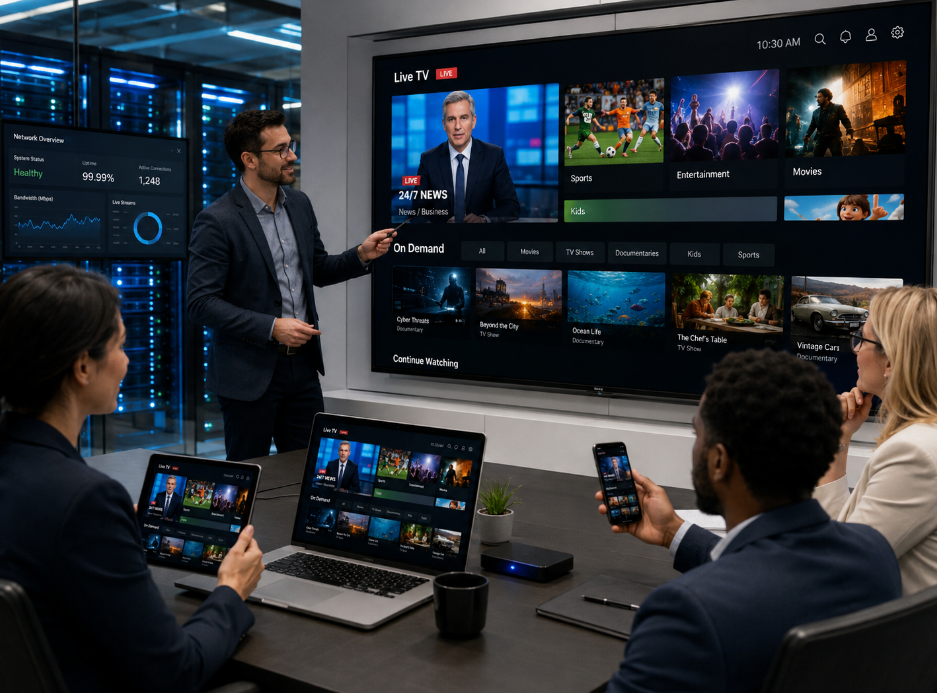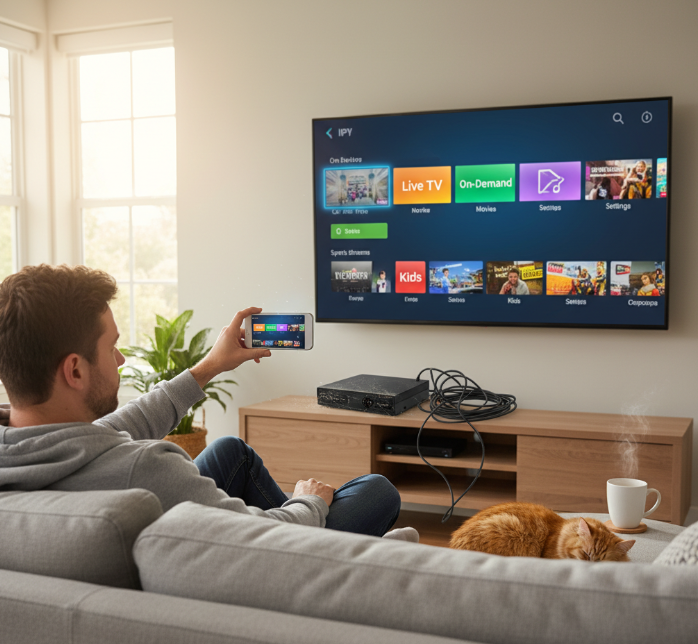
Cable’s clunky, satellite’s a diva when it rains—and folks are flipping the script. This IPTV guide cuts through the tech gobbledygook and shows you how to snag TV that actually plays by your rules. No more babysitting bulky remotes or squinting at pixelated reruns—just sharp channels, on-demand movies, and smooth-as-butter sports streams right on your phone or flat screen.
Back in 2023, Deloitte reported that more than half of U.S. households had switched to streaming services that offered more control and less clutter. That number's still climbing. “Convenience has become currency,” says streaming analyst Rachel Kim at MediaTech Insights.
So if you’ve been side-eyeing that cable bill like it owes you money—yeah, this one’s for you.
Understanding IPTV: What You Need to Know
Get ready to break down how IPTV actually works, what makes it tick, and why it's reshaping how we watch TV today.
The Technology Behind IPTV: A Beginner's Overview
IPTV runs on a smart mix of internet-based tech that ditches old-school broadcast signals for something way more flexible.
• At its core, it uses Internet Protocol to deliver content over broadband rather than satellite or cable lines.
• Unlike traditional TV, it relies heavily on streaming technology, meaning shows and movies are sent in data packets like any other online content.
— Most systems use an IPTV middleware platform that helps manage user interfaces, billing, and content access all in one place.
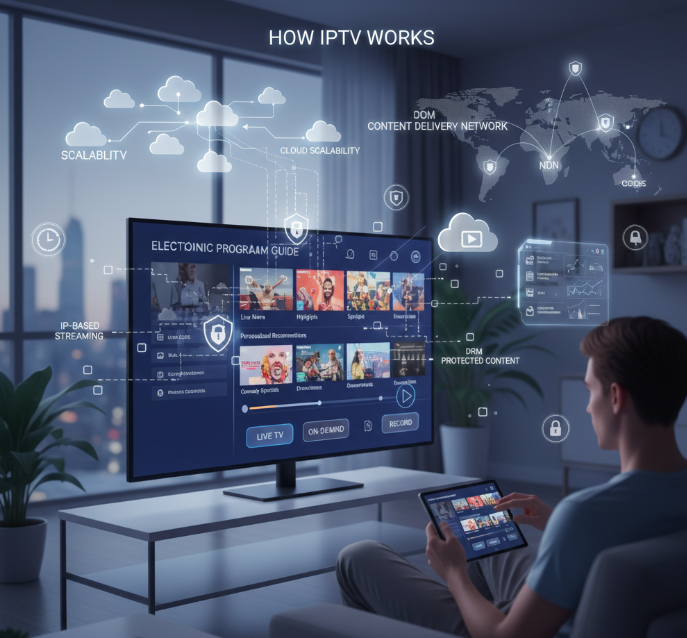
Cloud-based infrastructure powers scalability here—when millions tune into live sports or binge their favorite series, cloud servers balance the load without breaking a sweat.
Meanwhile, Content Delivery Networks play cleanup crew by reducing traffic jams and buffering issues across global viewers.
This whole setup allows you to flip between live channels and on-demand content with zero fuss—just smooth streaming through your connected device.
Key Features of IPTV Services Explained
Today's best IPTV platforms come loaded with features that go way beyond just flipping channels:
■ Electronic Program Guides (EPG) – These let users scroll through current schedules and plan their viewing like pros.
■ Time-shift TV functionality – Missed the game? No biggie. Rewind or replay recent broadcasts whenever you want.
■ Personalized recommendation engines – They crunch your viewing history to suggest shows you’ll probably love next time you log in.
■ Interactive ads – Instead of boring commercials, expect clickable promos tailored to your interests right on-screen.
■ Cloud DVR – Record live shows directly onto cloud storage so you can binge later without hogging device memory.
■ Parental controls – Lock out inappropriate content with passcodes and filters built into most platforms’ settings menus.
All these bells and whistles combine into an experience that's light-years ahead of old-fashioned cable setups—and much easier to customize too!
How Digital Rights Management Protects Content
DRM might sound techy, but it's basically digital armor for premium streaming stuff—and it’s everywhere behind the scenes in any good iptv guide setup.
Digital Rights Management tools restrict who can access what based on licenses tied to user accounts or regions—they're why some shows disappear when you're abroad!
Secure streaming protocols like HLS encryption make sure no one can easily rip off high-quality streams mid-broadcast; they scramble the feed unless you've got permission keys baked into your player app or device software.
Access control mechanisms add another wall—think login credentials linked with subscription plans that expire if unpaid or misused. It's all about making sure only legit users get inside the gate while pirates stay locked out cold.
Without DRM doing its thing quietly in the background, paid services would be chaos—and creators wouldn’t earn a dime from their work showing up on unauthorized apps or sketchy sites around the web.
Why Content Delivery Networks Are Crucial for IPTV
CDNs aren’t just optional—they’re mission-critical if you want smooth streams instead of spinning wheels:
They reduce latency by placing video files closer to users geographically—no more waiting for content flying halfway across the world.
CDNs balance traffic during peak hours so even when half a country’s watching sports finals at once, nobody crashes.
They improve playback quality by dynamically adjusting video resolution based on real-time internet speed.
CDNs also boost reliability by rerouting around network failures automatically—so even if one server goes dark, another picks up instantly.
Lastly, they help scale fast when subscriber numbers spike overnight after viral buzz hits a new show drop.
With CDNs acting as backstage heroes behind every solid stream session in any decent iptv guide, viewers barely notice—but they'd definitely miss them if they were gone!
Essential Equipment for IPTV Streaming
Getting your gear right means smoother streams and zero buffering headaches—here’s what you need to make your IPTV guide setup sing.
Choosing the Right Set-top Box for IPTV
Picking a set-top box isn’t just about price—it’s about performance, compatibility, and keeping up with ever-evolving internet protocol television standards.
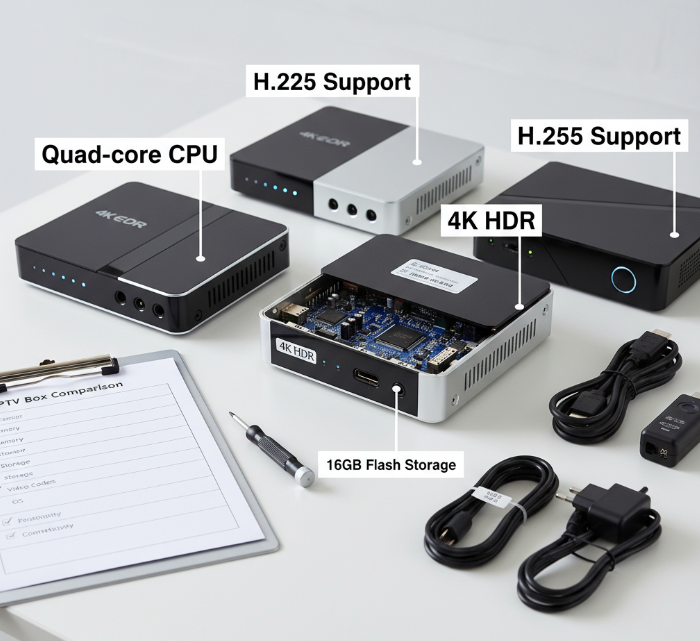
✔️ Make sure it supports essential video formats like H.264 and H.265—these codecs are vital for high-quality streaming without hogging bandwidth.
✔️ Look for boxes that are certified with DRM compliance so premium content plays without hiccups.
✔️ A quad-core processor and at least 2GB RAM? Non-negotiable if you want smooth app operation and channel switching.
Many users overlook Ethernet ports—Wi-Fi is handy, but wired connections crush lag during live TV.
Android-based boxes offer more flexibility with third-party apps, while proprietary systems may be more stable but less customizable.
Don’t skip checking compatibility with your IPTV box provider; some services only work well on specific hardware models.
These small boxes pack a punch—but only if you choose wisely based on how you stream and what features matter most in your daily use.
Smart TV Integration for Seamless Viewing
Smart TVs can be the MVPs of any home streaming setup when paired properly with an IPTV guide strategy.
🟢 Native App Support:
Most modern smart TVs come preloaded or allow downloads of popular IPTV applications like TiviMate or Smart IPTV.
These apps often support features such as EPGs, catch-up TV, and custom playlists.
🟢 Remote-Friendly Interfaces:
Designed to work smoothly with standard remotes—no mouse or keyboard needed.
Menus optimized for quick navigation between live channels, VOD, and settings panels.
🟢 EPG Functionality:
Electronic Program Guides (EPG setup) let users scroll through schedules just like cable TV—with time slots, channel logos, and descriptions all lined up neatly.
Some platforms even integrate cloud-based guides that auto-update without manual input.
🟢 Cross-platform Sync:
Log in once across multiple devices using shared credentials; no need to reconfigure each time.
Smart TVs connected via LAN see fewer buffering issues than Wi-Fi-only setups.
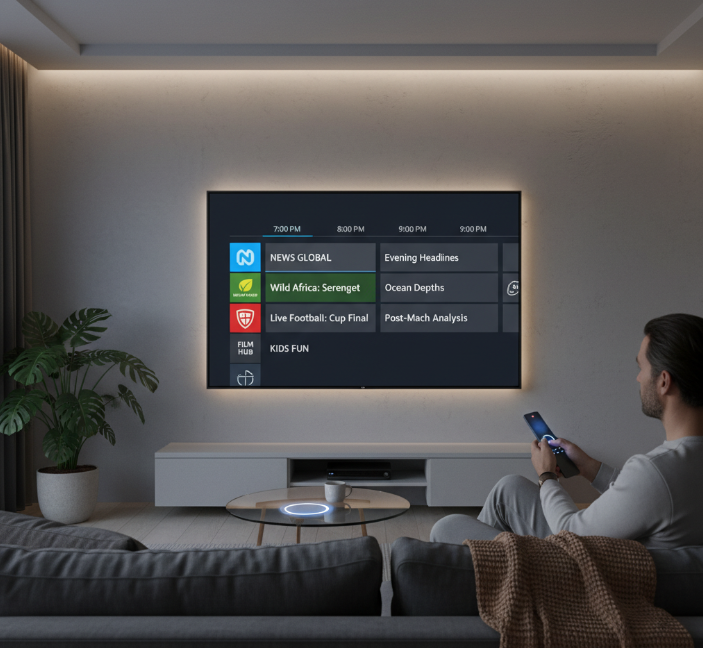
With proper integration, your smart TV becomes more than a screen—it becomes mission control for all things IPTV.
Mobile Device Applications for On-the-Go Streaming
Streaming on mobile isn’t just convenient—it’s now essential. Whether you're commuting or lounging in bed, having access to your full iptv guide lineup is game-changing.
• Apps like GSE SMART IPTV or OTT Navigator bring full-featured interfaces to both iOS and Android platforms—think live channels, VOD libraries, even DVR playback options.
• Most apps support casting via Chromecast or AirPlay so you can switch from phone to big screen mid-show without missing a beat.
• Cloud DVR services let users record shows remotely—perfect when you're out but don’t want to miss that one episode airing tonight.
You’ll also find that many mobile apps sync seamlessly with desktop versions or smart TVs using shared login credentials—a huge plus if you're juggling devices throughout the day.
And don’t worry about data usage: many providers offer adaptive bitrate streaming so you won’t blow through your plan watching HD when SD will do just fine on a smaller screen.
From smartphones to tablets, mobile streaming keeps your entertainment portable—and always within thumb’s reach of the action-packed world of IPTV content.
Setting Up Your IPTV: Step-by-Step Instructions
Get your IPTV guide journey started the right way—here’s how to hook things up, configure it all, and fix common snags like a pro.
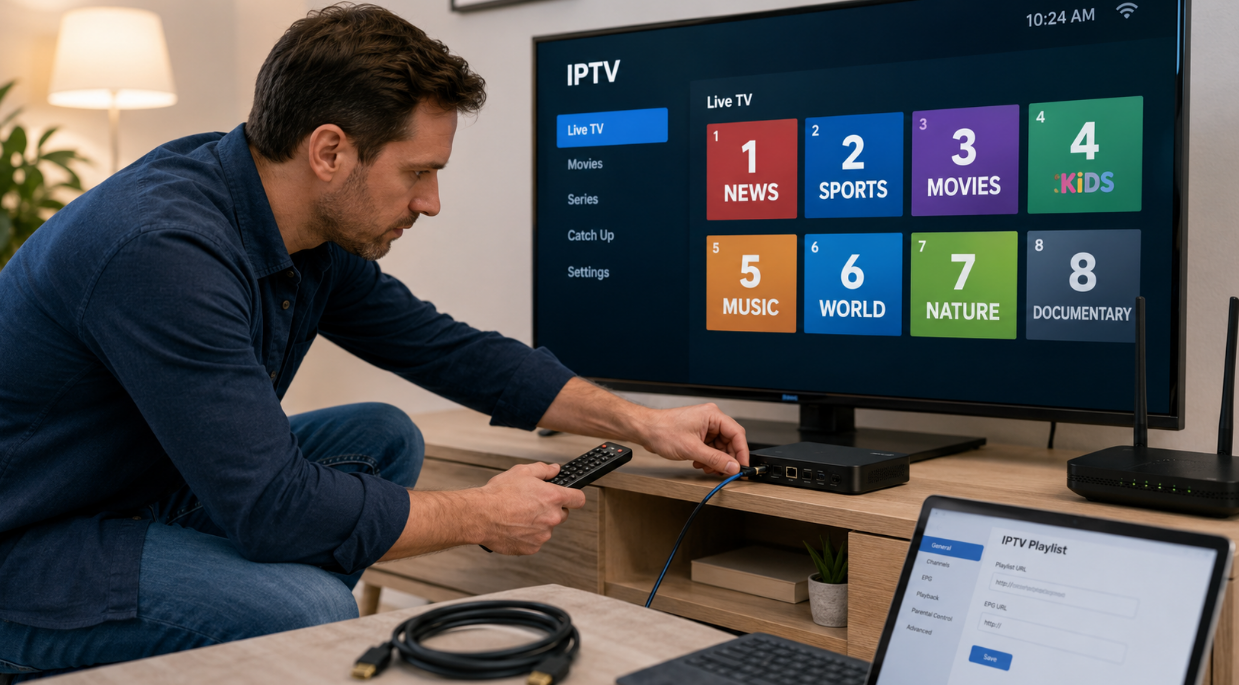
Step 1: Connecting Your Set-top Box or TV
Plug the HDMI cable from your streaming device or smart TV into the correct port on your television.
Connect the power adapter and turn on both devices.
Use an Ethernet cable for stable connection—or Wi-Fi if you’re feeling wireless.
Navigate through your TV’s input source menu and select the HDMI input where your box is connected.
Follow any on-screen setup prompts specific to your Android box, Firestick, or other supported gear.
Make sure internet speed meets minimum requirements—at least 10 Mbps for HD streaming via internet protocol.
This part of the iptv guide ensures you're physically set up before diving into software configuration. Smooth sailing starts here.
Configuring Your IPTV Middleware Platform: A Simple Guide
• Start by launching your chosen IPTV app on your connected device.
• Input your assigned login credentials—usually found in a welcome email from your provider.
• Choose between M3U playlist URL or Xtream Codes API depending on what format was provided.
• Once authenticated, channels should begin loading automatically.
Now tweak preferences:
Update time zone and regional settings so programs sync correctly.
Enable parental controls if needed—especially handy for family setups.
Save channel favorites for faster access next time you boot up.
This part of the iptv guide is where everything clicks into place—literally and figuratively!
How to Access Live Television Channels Effortlessly
To get rolling with live TV:
Use the built-in EPG (Electronic Program Guide) to browse current and upcoming shows across all available channels.
Sort by genre, language, or region using menu filters embedded in most modern IPTV apps.
Click-and-stream functionality means no waiting; tap a channel name and you're watching instantly.
Some platforms allow voice search—try asking directly for “sports” or “news” channels if supported by your device.
The best part? It feels just like flipping through traditional TV—but powered by smarter tech thanks to streaming technology.
Personalizing Your Experience with Electronic Program Guides
| Feature | Customization Option | Benefit | Device Support |
|---|---|---|---|
| Channel List | Add/remove/sort | Streamline navigation | Smart TVs, Android |
| Reminders | Set alerts via EPG | Never miss favorite programs | Firestick, iOS |
| Recommendations | Based on watch history | Discover similar content | Most IPTV platforms |
| Time-shift Settings | Enable pause/rewind | Control live broadcasts | Android boxes |
You can also adjust themes, font sizes, and even color schemes depending on which platform you’re using. The more tailored it is, the smoother navigating becomes—and that’s what this chunk of any solid iptv guide should deliver.
Troubleshooting Common Setup Errors: Quick Fixes
Here are some everyday hiccups—and how to squash them fast:
❖ Login not working? Double-check spelling in username/password fields; make sure caps lock isn’t messing things up.
❖ Buffering like crazy? Test internet speed—anything under 5 Mbps could cause issues; reboot router if needed.
❖ Missing channels? Reload M3U playlist link manually inside settings; sometimes URLs expire after updates.
❖ Audio but no video? Switch video decoder mode inside app settings (hardware vs software).
The key takeaway from this section of our hands-on iptv guide? Don’t panic—a few quick taps can usually fix most problems without calling support.
Quick Tips for Optimal IPTV Performance
Simple tweaks can make your IPTV guide experience buttery smooth. These quick tips aren’t rocket science—just smart moves for better streaming.

Enhancing Your Streaming Quality with Adaptive Bitrate Streaming
Adaptive bitrate streaming is like cruise control for video—it adjusts automatically based on your internet speed.
It prevents annoying pauses by lowering resolution when your connection dips, then cranks it back up when things stabilize.
Most modern streaming technology platforms support this, so check if yours has it enabled.
This feature is a lifesaver during peak hours or when multiple devices are hogging bandwidth. It keeps your shows watchable even on shaky networks.
Letting adaptive bitrate do its thing means less buffering and more chill. If you’re using StarIptv, this setting’s already baked in—no extra fiddling needed.
Utilizing Multi-screen Viewing Support for Family Enjoyment
Multiple short descriptive segments:
You don’t have to fight over the remote anymore. Multi-screen support lets everyone stream what they want, where they want—TV in the living room, tablet in the kitchen, phone on the patio. Check that your channel packages cover simultaneous streams before loading up every screen at once. Some services limit how many devices can stream at once unless you upgrade plans. Using a Smart TV app, Android box, or Firestick? Make sure each device is compatible with your provider's app version.
This feature is perfect for families who binge together—but also need their space.
Quality of Service Monitoring: What You Need to Know
Grouped bullet structure:
Quality of Service (QoS) monitoring helps pinpoint what's slowing down your IPTV guide experience:
• Latency tracking – Measures delay between request and playback start; high latency = sluggish response times
• Buffering frequency – Logs how often streams pause to load; frequent buffering usually signals poor network conditions or overloaded servers
• User engagement metrics – Tracks which content gets watched most and where drop-offs happen; helps providers fine-tune offerings
If you're constantly tweaking settings but still getting choppy video, these QoS stats can tell you if it's a network stability issue or something else entirely.
Many IPTV apps now offer built-in diagnostics under settings—worth checking out if you're troubleshooting weird playback behavior.
Troubleshooting Common IPTV Issues
Got problems streaming? You're not alone. Here's how to sort out the most common hiccups and get your shows rolling again.
Identifying and Fixing Buffering Problems in IPTV
Buffering is the buzzkill of any binge session, but it’s usually fixable with a few smart moves:
Check your internet speed – If it’s under 10 Mbps, expect trouble.
Restart your router or modem – A classic trick that often works.
Switch from Wi-Fi to Ethernet – A wired connection can reduce lag and improve stability.
🟢 Clear your app's cache regularly. It helps prevent stuttering caused by old data clogging up performance.
If you're using a VPN, try turning it off. Some VPNs slow down your connection or misroute traffic, causing more harm than help.
When all else fails, test on another device. If things run smoother there, chances are it's a device performance issue, not the stream itself.
And don’t forget—StarIptv optimizes streams through multiple CDNs to reduce server load, keeping things running buttery smooth when others freeze up.
Content Encryption Standards and Their Impact on Stream Quality
Not all buffering is about bandwidth—sometimes it's encryption doing its thing behind the scenes:
• Many IPTV providers encrypt their content using DRM protocols like Widevine or PlayReady. These protect content but can cause playback hiccups on unsupported devices.
• Watermarking tech ensures streams aren’t pirated—but if improperly configured, it may lead to glitches or frame drops.
• Devices without proper decoding capabilities struggle with newer formats, leading to choppy playback or even freezing screens.
Now check this out:
| Encryption Type | Device Compatibility | Playback Impact | Common Issue |
|---|---|---|---|
| Widevine L1 | High-end devices | Smooth | Rare stutters |
| Widevine L3 | Budget phones | Lower quality | Frequent buffering |
| PlayReady | Smart TVs | Stable | Occasional freezes |
| FairPlay | Apple ecosystem | Optimized | Minimal disruptions |
So next time you're staring at a frozen screen instead of live sports, remember: it might be less about bad internet and more about how your device handles encrypted streams.
Technical Support Availability: When to Seek Help
Sometimes you've done everything right—and it's still not working. That’s when you reach out for help:
Double-check service status via provider dashboards or social media updates.
Look into your account details—expired subscriptions or incorrect credentials can block access.
Contact support if:
You see repeated error codes that don’t resolve with restarts.
Your login errors persist across devices.
Your stream fails even after clearing cache and resetting settings.
✳️ Pro tip: Keep screenshots of any specific messages you get—that helps tech support resolve things faster.
Most services offer chatbots, email assistance, or even live calls depending on their SLA (service level agreement). StarIptv provides direct support during peak hours so you're never stuck mid-match without answers.
Whether it's an annoying bit of freezing, strange audio dropouts, or full-on blackouts—knowing when to call in backup saves time and sanity alike.
References
Video Streaming Statistics & Trends (2025) - https://explodingtopics.com/blog/video-streaming-stats
Internet Protocol (IP) - https://en.wikipedia.org/wiki/Internet_Protocol
Digital Rights Management (DRM): Widevine, PlayReady & FairPlay Explained - https://www.cincopa.com/learn/digital-rights-management-drm-widevine-playready-and-fairplay-explained
What is a Video CDN? - https://www.cloudflare.com/learning/video/what-is-video-cdn/
What is Adaptive Bitrate Streaming? - https://www.cloudflare.com/learning/video/what-is-adaptive-bitrate-streaming/
Quality of Experience (QoE) in Video Streaming - https://www.mux.com/articles/qoe
FAQ
What equipment makes the most of an IPTV guide?
To truly enjoy what the guide offers, your setup needs to feel ready for anything:
A set-top box or Smart TV with smooth integration into IPTV middleware platforms.
Steady internet speed so Adaptive Bitrate Streaming keeps every live television channel clear.
Cloud DVR solutions if you want last night’s sports event broadcast waiting in your library.
Mobile device applications on hand for a quick catch-up TV episode while you’re away.
How does an IPTV guide add personality to my viewing?
It’s more than just a list—it listens and remembers:
Electronic Program Guides create timelines that adapt around you, from original series productions to late-night video-on-demand movies.
Personalized recommendations engine quietly studies content consumption patterns and offers suggestions right when boredom hovers near.
Time-shift TV functionality invites drama—start a show late but chase it back without losing a moment of surprise.
Can multiple screens run happily under one iptv guide package?
Yes—and there’s comfort knowing each screen lives its own little story:
★ Multi-screen viewing support lets the family spread out between TVs, web browser accessibility, gaming console support, and mobile apps—no fights over which sports event broadcast wins the night .
★ CDN streaming keeps harmony by balancing traffic during feverish audience peaks so no scene stutters mid-sentence.
Why is Digital Rights Management part of this conversation?
Like a silent guard at the theater door—DRM ensures only those invited see the show:
↦ Content encryption standards bind premium broadcasts tight against piracy detection systems; watermarking technologies whisper authenticity through every frame; secure streaming protocols keep access control mechanisms precise yet invisible to your eye—all without stealing away your evening’s joy from that long-awaited video-on-demand movie release.