Hunting for the best free IPTV app for Firestick can feel like digging through a dollar bin hoping for gold. Every app swears it’s “HD,” “no buffering,” “totally free”—and five minutes later you’re staring at a spinning wheel like it owes you rent. You just want live TV without the smoke and mirrors.
Recent Digital Media Trends research shows just how fragmented streaming choices have become. That makes picking the right free IPTV app even more important.
This guide cuts the fluff. No sketchy downloads, no hidden paywalls—just what works, what flops, and how to stream without the drama.
Reading Notes: Riding the Free IPTV App Wave
Overwhelming Choices
Hundreds of free iptv app options exist—focus on trusted sources, clear reviews, and straightforward onboarding to avoid confusion and security risks.
Must-Have Features
Look for extensive channel lineups, intuitive interfaces, EPG support, multi-device compatibility, and regular updates to ensure smooth streaming.
Simple Installation
Enable Unknown Sources, download the official APK, use the Downloader App, then link your M3U playlist or Xtream Codes credentials for instant access.
Buffering Fixes
Boost Wi-Fi performance, select the best streaming protocol (HLS or MPEG-TS), and clear the app cache regularly to minimize lag.
Cost Transparency
Verify no hidden subscriptions or data fees, opt for open-source players to avoid paywalls and ad overload, and choose apps that respect your privacy.
Why Free IPTV App Choices Overwhelm New Users
Scrolling through every free iptv app listing can feel like falling into a rabbit hole. One minute you just want live TV on your couch, next minute you're decoding tech terms and second-guessing safety. The world of free IPTV, IPTV free apps, and streaming platforms moves fast, and beginners often feel left behind.
Too Many Options, Too Little Guidance
When searching for a free iptv app, most users bounce between IPTV apps on app stores and random websites. The overload usually breaks down like this:
Device Focus
Firestick users see dozens of “optimized” apps
Smart TV owners get different recommendations
Decision Triggers
Sparse user reviews
No real feature comparison
Outcome
Endless switching between apps
Frustration with unstable free streaming
A smart move is narrowing it down by device, then checking real feedback. Brands like Startiptv reduce guesswork by clearly outlining compatibility and features, instead of dumping users into endless app selection lists.
Technical Jargon That Scares Beginners
A typical IPTV free app setup page throws around terms like:
M3U playlist
EPG data
Streaming protocols
Codec support
For beginners, the installation process feels like decoding a secret language.
Setup confusion
Import link fails
No clear user interface guidance
Result
Users quit before finishing setup
A solid free iptv app should explain these in plain English. Startiptv keeps the setup flow simple so users don’t panic halfway through adding a playlist.
Unverified Sources and Security Concerns
Security worries usually follow a pattern:
Download Source
Official app stores
Risky third-party sources
Hidden Dangers
Malware
Weak data privacy protection
Bigger Questions
Legal streaming rights
Content legitimacy
Zimperium’s 2025 Global Mobile Threat Report warns that sideloaded apps substantially increase the risk of device compromise because repackaged apps can contain malicious code.
That’s why choosing a trusted free iptv app matters. Free IPTV apps from unknown developers may cost nothing upfront, yet expose personal data. A verified platform like Startiptv builds trust by being transparent about security and updates.
Choosing Between Live TV and On-Demand
Users often hesitate between:
Live channels for sports and news
On-demand movies and full TV series libraries
Decision flow usually looks like this:
Internet Stability
Frequent buffering? Live streams may struggle
Stable broadband? Higher streaming quality possible
Viewing Habit
Scheduled sports fan → live focus
Weekend binge watcher → deep content library
Some free IPTV app platforms try to offer both but overload the interface. A balanced IPTV app free option keeps navigation simple and helps users test live TV and VOD before settling in.
5 Unbeatable Free IPTV App Features You Need
Streaming fans want speed, variety, and zero drama. A solid free iptv app should feel smooth from the second it opens. Below, you’ll see what truly matters in a free IPTV, how an IPTV app should perform, and why the right free streaming app—like Startiptv—makes all the difference.
Extensive Channel Lineup for Every Taste
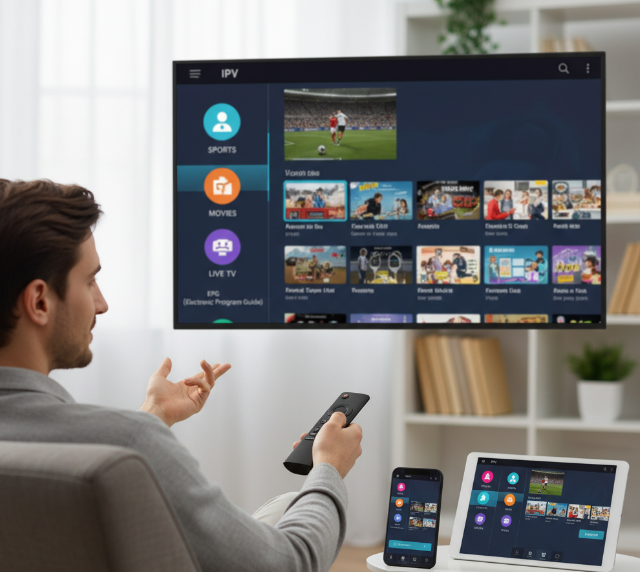
A quality free iptv app lives or dies by content depth. It’s not just about numbers; it’s about smart genre variety and reliable streams.
Live channels
international channels across regions
news channels covering global updates
movie channels with new releases
sports channels for football, basketball, UFC
Sports
Entertainment
Information
Global access
On-demand layer
Trending series
Kids programming
on-demand content
A good IPTV app keeps everything under one roof, so you’re not hopping between random tools. With Startiptv, the live channels and VOD feel organized, not chaotic. That’s how a free streaming app should run—clean and packed.
User-Friendly Interface That Requires No Learning Curve
No one wants a manual just to watch TV. A proper free iptv app should feel easy to use within seconds.
Open the app
Browse via intuitive navigation
Tap and stream
Inside a polished IPTV app, you’ll spot:
Clear categories
Sports
Movies
Kids
Fast search with quick access
A simple layout that feels beginner friendly
Short menus. Clear icons. Zero clutter.
Startiptv keeps the streamlined experience tight, so even someone new to IPTV apps can jump in fast. That’s the point of a real free iptv app—less setup, more watching.
EPG Support for Easy Program Tracking
An IPTV app without a guide feels messy. A strong free iptv app includes a built-in electronic program guide that actually works.
TV guide
Alerts
Reminders
Cast
Duration
Morning shows
Prime-time events
channel schedule
program information
upcoming shows
The episode details matter too. You don’t want to guess what’s playing next.
That’s why a polished free streaming app keeps scheduling transparent. With Startiptv, tracking your favorite match or series episode feels organized, not random.
Multi-Device Streaming Without Extra Cost
Streaming should follow you, not trap you.
A powerful free iptv app supports:
Living room
Smart TV
Firestick
On the move
Android phone
Tablet
Inside that flexibility:
multiple devices
Smart TVs
Streaming sticks
cross-platform compatibility
simultaneous streams
Smart device support
Real streaming flexibility
Open your IPTV app at home, continue on mobile later. No extra fee. No hidden lock.
That’s how a free iptv app should behave—smooth across screens.
Regular Updates to Keep Streams Alive
Streams break. Servers shift. Apps must adapt.
A reliable free iptv app depends on constant app updates:
Stability layer
stream stability improvements
server maintenance
Performance layer
bug fixes
performance improvements
Growth layer
new features
When updates roll out quietly in the background, you barely notice. That’s good. It means your IPTV app just works.
Startiptv focuses on keeping channels active and playback steady. In the fast-moving world of free IPTV, staying updated is not optional—it’s survival.
4 Key Steps To Install On Firestick
Getting a free iptv app running on Firestick isn’t rocket science, but a few settings matter. Follow these four key moves and your IPTV app free setup will feel smooth and stress-free.
Enabling Unknown Sources in Settings
To install any free iptv app outside the store, your Firestick Settings must allow it.
Open
Device SettingsFirestick Settings
My Fire TV
Developer Options
Navigate to
Inside Developer Options, adjust:
Unknown Sources → Turn ON
ADB Debugging → Optional but useful
App Permissions → Review under Security
Why this matters:
The Security layer blocks unofficial installs by default.
A free IPTV app or IPTV application free download won’t run without this toggle.
Turning on Unknown Sources only affects manual installs, not store apps.
Keep it simple. Enable it, confirm the warning, move on. Amazon’s official Fire TV developer guidance shows the same path: Settings → My Fire TV → Developer Options → Apps from Unknown Sources.
Downloading the IPTV App APK File
Now you need the APK File for your IPTV application.
There are two common paths:
Through a Browser
Using a trusted Download Link shared by your provider
Managing the file later with a File Manager
Before installing, check compatibility. Below is a safer general reference:
| Fire OS Generation | General Guidance | Notes |
|---|---|---|
| Fire OS 6 | Use an app build the developer still marks as supported | Older Fire TV hardware may need lighter app versions |
| Fire OS 7 | Prefer current stable releases from the app developer | Usually the safest baseline for most Firestick users |
| Fire OS 8 | Use the latest stable release listed as Fire TV compatible | Best choice when the developer actively supports newer Fire devices |
Tips that save headaches:
Match the APK File to your Fire OS.
Avoid sketchy mirror sites.
If you’re using a free iptv app, confirm it supports M3U or Xtream login.
Many users installing Startiptv report fewer playback errors when the correct version is used from the start.
Installing via Downloader App
The Downloader App handles the heavy lifting.
Inside Firestick Apps:
Search for Downloader
Install
Open it
Then follow this nested path:
Enter the
URLWait for file verification
Start the Installation Process
Confirm download
During installation:
Review permissions
Click Install
Delete the APK afterward to save space
After install, your free IPTV app should appear in Your Apps & Channels.
Keep things tidy. Remove unused files.
Linking Your App to Your IPTV Provider
Now the fun part—connecting to your IPTV Provider.
Open the IPTV app free version and choose login type:
M3U Playlist
Paste URL
Xtream Codes
Server Address
Account Credentials
Login Details
Enter
Your Subscription activates once verified. The Channel List loads automatically.
If you’re using Startiptv, double-check:
Server format (http vs https)
Username spelling
Active subscription status
Within seconds, your free iptv app pulls in live channels, VOD, and categories. If nothing loads, recheck credentials. Nine times out of ten, it’s just a small typo.
That’s it. Clean setup, no drama, and your IPTV app free experience is ready to stream.
Free IPTV App Buffering Issues Solved
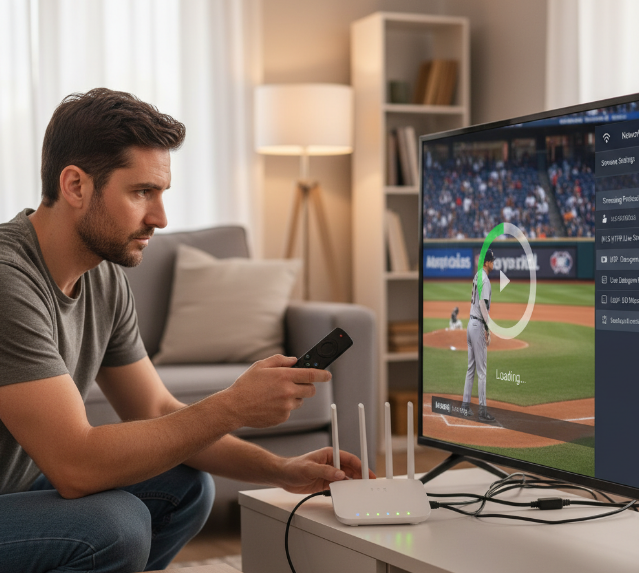
Buffering on a free iptv app can drive anyone nuts. One minute you’re watching live sports, next minute it freezes. If your free IPTV, IPTV app free version, or free TV streaming app keeps lagging, don’t stress. This guide breaks down practical fixes so your free iptv app runs smoother, faster, and drama-free.
Improve Your Wi-Fi: Bandwidth and Router Tips
If your free iptv app keeps stalling, your network is usually the culprit. Focus on these key layers:
Wi-Fi signal strength
Check current Internet speed using a speed test.
Keep Router placement central, away from walls.
Switch between 2.4GHz and 5GHz Frequency band.
Adjust crowded Wi-Fi channel settings.
Reduce Network congestion by limiting extra devices.
Speed benchmarks for smooth free IPTV streaming:
| Resolution | Recommended Mbps |
|---|---|
| HD 720p | 3 Mbps or higher |
| Full HD 1080p | 5 Mbps or higher |
| 4K | 15 Mbps or higher |
These baseline figures align with Netflix’s official internet speed recommendations. For homes with multiple devices connected at once, extra headroom helps reduce buffering.
For stable playback on a free iptv app, Ethernet beats Wi-Fi. If you’re using Startiptv on a smart TV or Firestick, a wired link often fixes random buffering instantly.
Choose the Right Streaming Protocol
Inside most free IPTV app settings, you’ll find Streaming protocols options. Picking the wrong one can cause lag.
Protocol basics:
HLS (often via M3U8) works over HTTP/TCP, stable on weak networks.
UDP streams faster but drops frames on unstable Wi-Fi.
TCP is slower but more reliable.
Match protocol to your setup:
Weak Wi-Fi signal strength → Use HLS.
Strong wired network → Test UDP.
Mixed devices → Stick with HTTP-based streaming.
As video traffic continues to dominate overall mobile data usage, choosing a more stable protocol matters even more on crowded home networks.
When your free iptv app keeps buffering, switching from UDP to HLS inside the IPTV app can feel like flipping a magic switch. Startiptv users often report smoother playback after this tweak.
Clear Cache and Optimize App Performance
Your free iptv app also depends on device health. Slow hardware equals slow streams.
Clean up core resources:
Delete excess App cache.
Free up Storage space.
Remove unused App data.
On Firestick or Android TV:
Open settings.
Force stop background apps.
Check for App updates.
Restart device to refresh Firestick performance.
Quick checklist for smoother free IPTV:
Close heavy Background apps.
Reboot router weekly.
Update your free TV app monthly.
Reinstall the free iptv app if glitches persist.
A well-maintained device plus a tuned network keeps your free iptv app stable. Combine smart Wi-Fi settings, the right streaming protocol, and regular cleanup, and even a free IPTV setup can run like a premium streaming app.
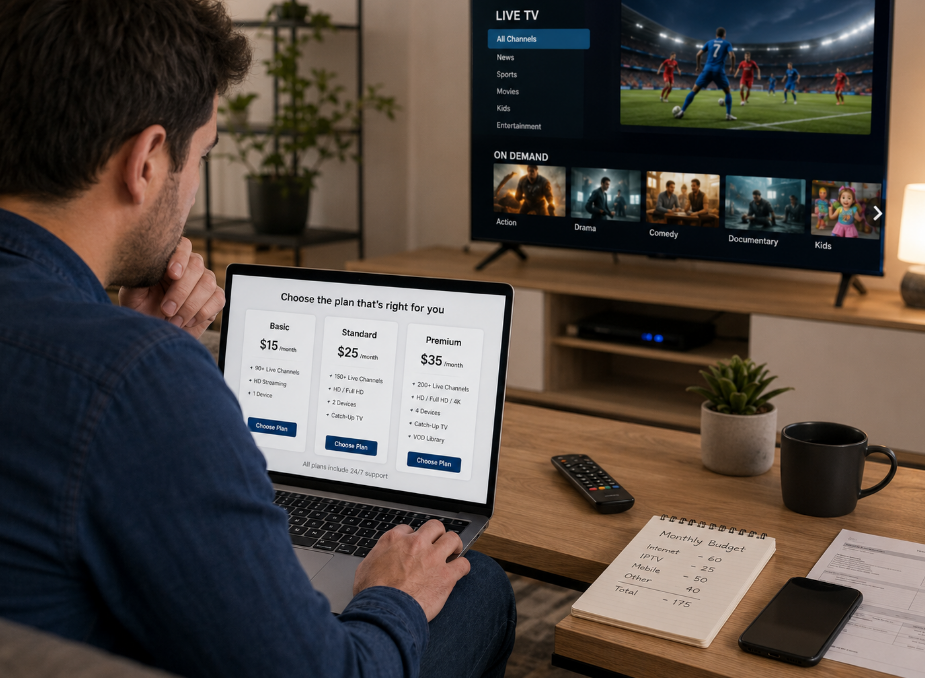
Free IPTV App Vs. Paid Services: Which Wins?
Picking between a free iptv app and a paid option can feel like choosing between free snacks and a full buffet. Both stream live TV, both promise smooth streaming, but the real story hides in reliability, features, and long-term user experience.
Free IPTV App
A free iptv app sounds like a sweet deal. No subscription, instant access, tons of channels. But there’s more going on under the hood.
Core Experience
Frequent buffering during peak hours
Server overload affecting reliability
Wide range of live TV and on-demand content
Easy entry with just a download
Streaming & Content Access
Performance Factors
Hidden Trade-Offs
Ads interrupting shows
Limited updates for the free IPTV ecosystem
Basic or no customer support
A free iptv app works if you’re casual about streaming and okay with occasional hiccups. Many users test a free TV app before upgrading. Brands like Startiptv often attract users who begin with a free iptv app and later want smoother live TV.
Paid Services
Paid IPTV changes the vibe. You’re not just paying for channels; you’re investing in consistent HD quality, stable streaming, and solid customer support.
Service Infrastructure
Access to legal channels
Premium and exclusive premium content
Reduced buffering
Higher reliability
Dedicated Servers
Licensed Sources
User Benefits
Clear upgrade paths
Advanced features like replay and multi-screen
Better overall user experience
Startiptv, for example, positions itself around stable servers and responsive support, which makes the shift from a free iptv app feel noticeable.
So who wins? If budget rules your choice, a free iptv app keeps things simple. If smooth streaming and polished features matter more, paid services usually take the crown.
Cost-Free Streaming: Avoid Hidden Fees
Streaming sounds free until random charges sneak in. A solid free iptv app should actually mean free—no weird tricks, no surprise bills. If you’re testing a new IPTV app or browsing for a free TV app, here’s how to keep your wallet safe while enjoying live TV and on-demand content.
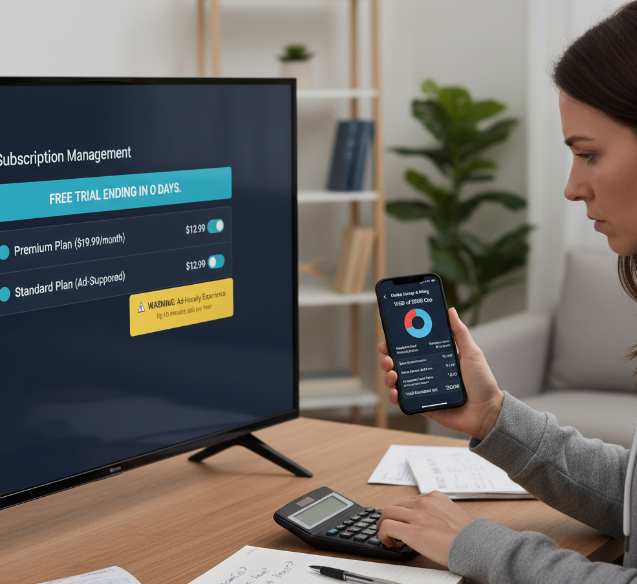
Watch Channels Without Subscription Traps
Finding a real free iptv app takes more than a quick download. Some platforms promise free channels and later slide in monthly fees. Stay sharp.
Check how subscription avoidance is handled inside the app store listing.
Review if unlocked content stays unlocked after 7 or 14 days.
Scan user reviews for complaints about billing surprises.
Now go a little deeper:
Inside the app settings
Trial expiration alerts
Auto-renew toggle
Linked payment methods
Account
Notifications
Inside legal pages
Data-sharing clauses
Trial duration
Renewal pricing
Terms of service
Privacy policy
A reliable IPTV app free version won’t hide the cancel button. Platforms like Startiptv keep pricing transparent, so your live TV doesn’t quietly convert into paid streaming overnight.
Skip In-App Purchases with Open-Source Platforms
Some apps feel free—until every cool feature asks for a top-up. If you want real control, lean toward open-source apps and community-driven tools.
Look for signs like:
Public code repositories
Clear feature lists marked no purchase required
Custom themes and customizable features included without paywalls
Quick checklist before installing a free iptv app:
Open the description page.
Scroll to “In-App Purchases.”
Confirm core playback isn’t locked.
Test basic streaming of on-demand content and free access channels.
A trustworthy free iptv solution should stream smoothly without pushing constant upgrades. Startiptv, for example, focuses on stable playback rather than endless microtransactions. That’s the vibe you want from a true free TV app.
Recognize and Bypass Ad-Heavy Apps
Ads happen. But there’s a line.
When a free iptv app throws full-screen pop-ups every few minutes, your user experience tanks. Heavy intrusive ads often signal weak security or aggressive monetization.
Break it down like this:
Ad frequency
Banner only
Pop-up every channel switch
Forced video before playback
Ad control
Works with ad blockers
Offers minimal ads mode
No option at all
Streaming model
Clean advertisement-free tier
Light ad-supported streaming
Overloaded and disruptive
If switching live TV channels feels like closing ten browser tabs, uninstall it. A quality IPTV app respects your time. Startiptv keeps ads under control so watching your favorite on-demand content doesn’t feel like dodging landmines.
Verify No Hidden Data Charges on Your Plan
Streaming through a free iptv app still uses real bandwidth. That’s where hidden costs sneak in—through data consumption.
Follow this flow:
Check your broadband plan or mobile data package.
Confirm if you have unlimited data or capped internet usage.
Estimate weekly streaming hours.
Match that against expected streaming costs from overage fees.
Here’s a quick reference table using Netflix’s official data usage guidance:
| Streaming Quality | Avg. Data per Hour (GB) | 20 Hours/Week (GB) | 4 Weeks Total (GB) |
|---|---|---|---|
| Low | 0.3 | 6 | 24 |
| Standard | 0.7 | 14 | 56 |
| HD | 3.0 | 60 | 240 |
| 4K | 7.0 | 140 | 560 |
If your cap is 200 GB, HD streaming alone could push you close. A free iptv app isn’t really free if your provider charges overage fees.
Do the math. Keep an eye on usage stats inside your IPTV app. Smart streaming means zero surprise bills and smooth free channels all month long.
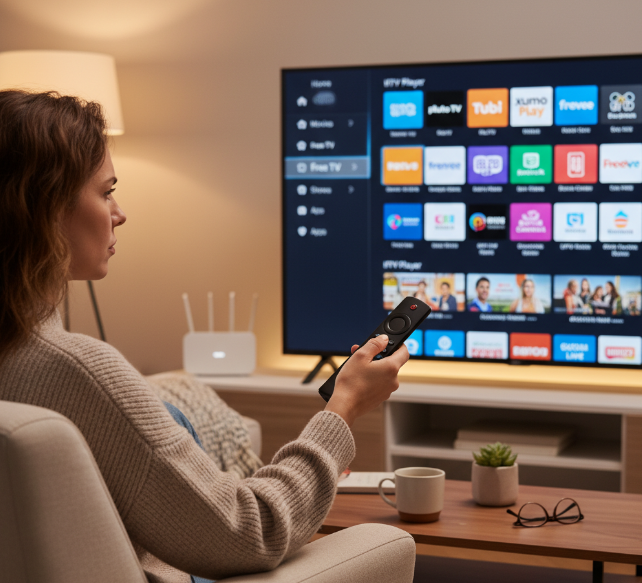
Which Free IPTV Apps Actually Stand Out on Firestick?
If you want a practical shortlist instead of endless testing, these names keep showing up because they are widely available, easy to install, or genuinely useful on Firestick:
Tubi for free ad-supported movies, shows, and live content
Pluto TV for live channel surfing and simple setup
Plex for users who want both free content and personal media features
IPTV Smarters Pro for playlist-based IPTV playback
TiviMate IPTV Player for users who already have a provider and want a cleaner IPTV player experience
For pure plug-and-play free streaming, Tubi and Pluto TV are usually the easiest starting points. For users who already have playlist credentials from a provider, IPTV Smarters Pro and TiviMate are often the better fit. If your goal is long-term stability on Firestick, the “best” app is usually the one that matches your setup, your internet quality, and whether you need built-in content or just a strong player.
References
[2026 Digital Media Trends - https://www.deloitte.com/us/en/insights/industry/technology/digital-media-trends-consumption-habits-survey.html]
[Connect to Fire TV Through ADB (Fire TV) - https://developer.amazon.com/docs/fire-tv/connecting-adb-to-device.html]
[Downloader - App on Amazon Appstore - https://www.amazon.com/AFTVnews-com-Downloader/dp/B01N0BP507]
[Netflix-recommended internet speeds - https://help.netflix.com/en/node/306]
[How to control how much data Netflix uses - https://help.netflix.com/en/node/87]
[2025 Global Mobile Threat Report - https://zimperium.com/hubfs/Reports/2025%20Global%20Mobile%20Threat%20Report.pdf]
[Mobile network traffic Q4 2025 – Ericsson Mobility Report - https://www.ericsson.com/en/reports-and-papers/mobility-report/dataforecasts/mobile-traffic-update]
[Tubi: Watch Free Movies and TV Shows Online - https://tubitv.com/]
[Pluto TV: Watch Free Movies, TV Shows & Live TV Online - https://pluto.tv/]
[Plex: Watch Movies and TV Shows Free Online - https://watch.plex.tv/]
[TiviMate IPTV Player - https://tivimate.com/]
FAQ
What makes a free IPTV app so attractive to new users?
A free IPTV app pulls people in with a simple promise: watch more, pay nothing.
No subscription fees or long forms.
Works on Firestick, Android, and smart TVs.
Easy setup with M3U playlists or Xtream Codes.
Access to live TV and on-demand content.
There’s a thrill in installing an app and instantly seeing sports, movies, and news appear on screen. The catch? Free often means ads and occasional broken streams. That trade-off is part of the deal.
Why do some free IPTV apps buffer or suddenly stop working?
Streaming feels smooth—until it doesn’t. When a free IPTV app freezes mid-match or during a movie climax, frustration hits fast.
Common triggers include weak Wi-Fi or limited bandwidth.
Outdated app version or overloaded cache.
Overcrowded public servers.
Wrong streaming protocol settings.
A quick router reset, clearing cache, or switching servers can rescue the moment. Sometimes, though, the issue sits beyond your control.
How can I stay safe while installing a free IPTV app?
Not every free IPTV app deserves trust. A little caution saves headaches later.
Download APK files only from trusted sources.
Check developer reputation and user reviews.
Avoid apps asking for unnecessary permissions.
Read terms to dodge hidden trials or in-app charges.
Free access should not cost your privacy. A safe install keeps the excitement of streaming alive—without unwanted surprises.