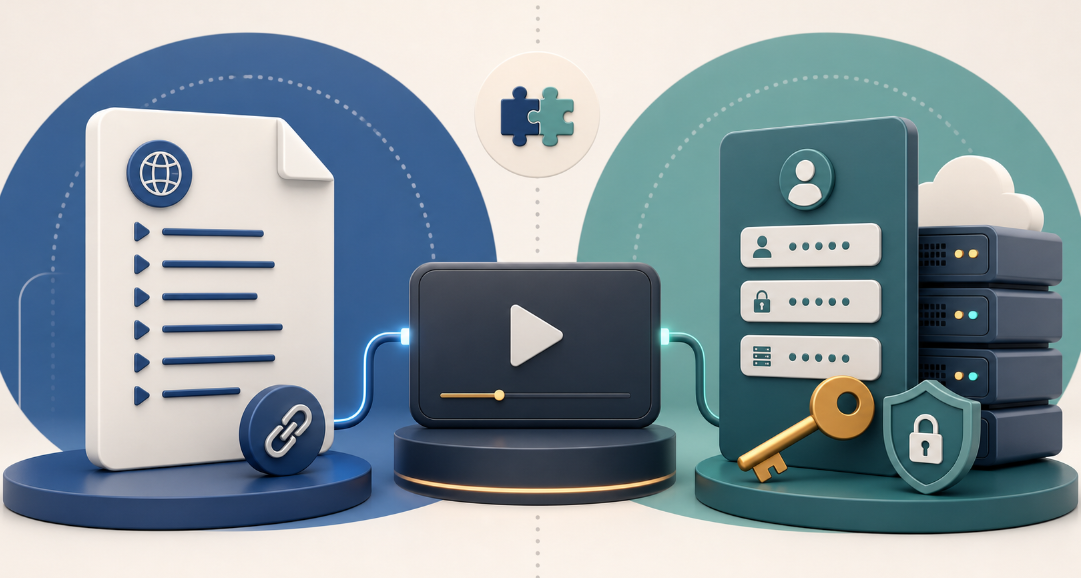
When an IPTV provider sends setup details, the choice often looks technical: an M3U link on one side, or a server URL with a username and password on the other. The practical difference is simple. M3U is a playlist format; Xtream Codes is a credential-based connection method that many players use to retrieve a service library. Neither format supplies channels or proves that a service has the rights to distribute them.
For Canadian viewers, the best option is usually the one your authorized provider issues and your chosen player supports. Use the comparison below to understand what each method carries, how it behaves in a player, and what to verify before entering account details.
The quick answer: M3U is a playlist; Xtream Codes is a login method
An M3U file or URL gives a player a list of stream entries. In a basic setup, the player reads that list and displays what it can. An Xtream Codes-style login normally asks for a server address, username, and password; a compatible player then requests account information and available categories from that server.
The format does not change the legal status of the streams. A media player is only a tool, and an account format is only a way to connect it. Use either one only with services, playlists, and media you are authorized to access.

What is an M3U playlist?
M3U began as a simple playlist-file format. In IPTV use, it commonly appears as a downloadable file or a private URL supplied by a service. The entries can point to live streams, on-demand items, radio streams, or media you host yourself. Some playlist variants include extra metadata, such as names, group labels, logos, and guide identifiers, but the amount of information varies.
For the viewer, M3U is usually the direct route: add a playlist URL or upload a file, let the player import it, and browse the resulting list. That broad compatibility is useful on simple players and in software that focuses on playlist handling. The trade-off is that organization can be basic, and some players need a manual refresh when the provider changes the playlist.
When M3U is a sensible choice
Your provider supplied one private playlist URL or file.
Your player asks specifically for “Playlist URL,” “M3U URL,” or “Upload file.”
You want a portable format for permitted personal media or a service you already have the right to use.
You do not need the player to fetch separate account categories or server details.
An M3U URL can contain access tokens or embedded account details. Treat it like a password: do not post it in screenshots, send it in public messages, or share it with people outside the subscription terms.
What does Xtream Codes mean?
In many IPTV players, “Xtream Codes” describes a login option rather than a playlist file. You enter a server URL, a username, and a password provided by the service. A compatible player can then request the account’s available live categories, video-on-demand sections, series, and sometimes programme-guide information. The exact fields and features depend on the provider and the player; the label does not guarantee a particular catalogue, guide, or stream quality.
This route can feel more structured because the player may receive categories and metadata separately instead of reading one flat playlist. It can also make account changes easier to reflect after the player refreshes. But it only works when the player supports that login method and the provider has issued valid credentials for it.
When an Xtream Codes-style login is a sensible choice
Your provider supplied a server URL, username, and password for this purpose.
Your player supports the connection and you want its account categories shown in the player interface.
You prefer the player to retrieve service information from the provider rather than importing a static file.
You are comfortable keeping credentials private and reviewing the provider’s connection limits.

M3U vs Xtream Codes: side-by-side comparison
| Decision point | M3U | Xtream Codes-style login |
|---|---|---|
| What you enter | A playlist URL or a playlist file. | A server URL, username, and password. |
| What the player receives | A list of stream entries, sometimes with limited metadata. | Account-linked data that a compatible player can organize into sections. |
| Player compatibility | Common in playlist-oriented players, but details vary. | Available only in players that include this login option. |
| Categories and guide data | May be included in the playlist or need separate configuration. | May load as part of the account connection when the provider and player support it. |
| Updates | Usually appear when the app refreshes or reloads the playlist. | Often appear after the app refreshes account data; behaviour varies by player. |
| Privacy handling | Keep the URL private; it may function as an access key. | Keep all credentials private and avoid reusing passwords from other accounts. |
| Best fit | A direct, flexible playlist import. | A player experience built around provider-issued account credentials. |
Which one should you choose?
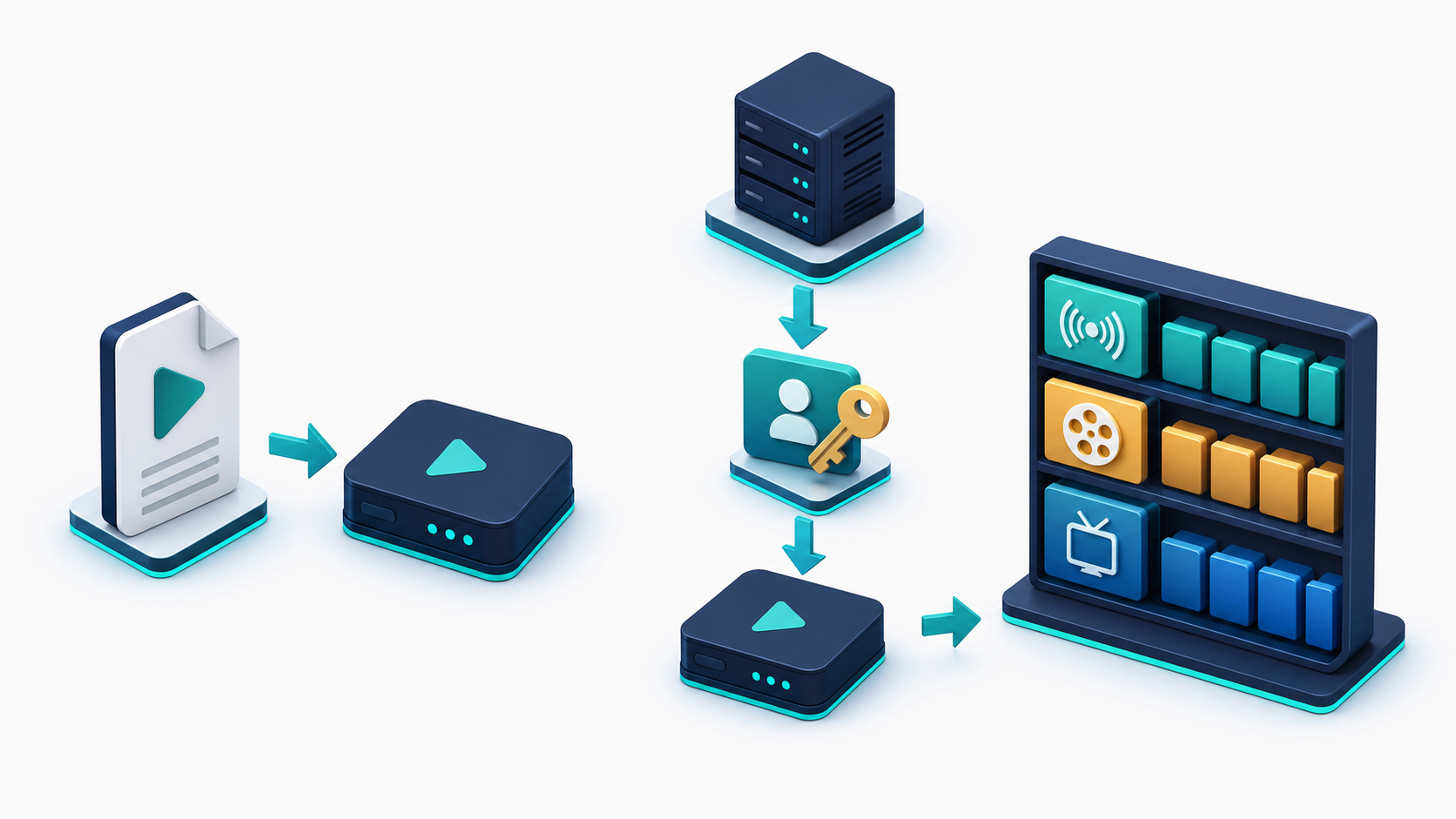
Start with the information your provider actually issued. If you were sent only an M3U URL, use a player’s playlist option. If you were sent a server URL, username, and password and your player offers an Xtream Codes login, that is normally the more appropriate path. Do not convert, guess, or borrow credentials simply to force a preferred setup screen.
Check the player first. Look for the exact setup option it supports: M3U/playlist, Xtream Codes, or both.
Use the provider-issued method. A valid M3U link and a valid login may both be offered, but support documentation should settle the choice.
Consider the interface you want. If browsing live, films, and series in separate sections matters, a supported Xtream Codes-style login may be more convenient. If you simply need a portable list, M3U can be enough.
Refresh before troubleshooting. A stale playlist or cached account view can make a legitimate update look missing.
Keep access details private. Connection limits, expiration, and device rules come from the service terms, not the format itself.
startiptv.ca’s setup guide describes choosing either a playlist URL/file or an Xtream Codes API login in compatible players. Before purchasing or changing a setup, readers can also review the site’s plan page, FAQ, and refund policy for the current terms that apply.
A note for IPTV viewers in Canada
Format choice and content rights are separate questions. The CRTC explains that online access can depend on territorial distribution rights, including rights held for Canada. The Government of Canada also notes that communicating copyrighted work to the public without authorization can infringe copyright. That is why an M3U URL or Xtream Codes-style login should be used only for content a provider is authorized to distribute in your location, or for media you have permission to stream.
Do not treat a player, a playlist, or an account format as a legal assurance. Confirm what the service is authorized to offer, read its terms, and ask its support team when a device, subscription, or regional question is unclear. For background, see the CRTC’s online-content guidance, the Canadian Copyright Act, and the Canadian Intellectual Property Office’s overview of copyright infringement.
A safer setup checklist
Install players from the device’s official app store or the developer’s official channel.
Use only the private playlist or credentials issued to you by an authorized provider.
Do not share M3U URLs, usernames, passwords, or screenshots that expose them.
Check the service’s device and concurrent-stream rules before signing in on multiple screens.
Use the provider’s documented support channel for a failed login instead of searching for replacement links or unofficial app packages.

Using either format with startiptv.ca
The practical question for a startiptv.ca customer is not which name sounds more advanced; it is which login details were supplied and which option the selected player supports. Follow the provider-issued setup information, then use the contact page if the connection details are unclear. Review the terms and conditions before sharing an account or using it on more than one device.
A player does not include channels by itself, and a connection method does not change the underlying rights or subscription terms. Choosing the supported format, protecting credentials, and using only authorized content are the parts that matter most.
Frequently asked questions
Is M3U better than Xtream Codes?
Neither is automatically better. M3U is a playlist format that is useful for direct imports, while an Xtream Codes-style login can give a compatible player a more account-based view of categories and metadata. Choose the method your authorized provider supplies and your player supports.
What is the main M3U vs Xtream Codes difference?
M3U normally gives the player a playlist URL or file. Xtream Codes-style access normally uses a server URL, username, and password so the player can request account-linked information. The two methods can lead to the same authorized service, but they provide information to the player differently.
Does an M3U playlist include channels by itself?
No. An M3U playlist is a list of locations a player can try to open. Whether those streams work, what they contain, and whether you are allowed to use them depend on the source and the rights attached to it. A player does not create or authorize content.
Can I use the same subscription with M3U and Xtream Codes?
Only if the provider offers both options for your account. Do not assume that one set of details can be converted into the other, and do not use a connection method that the provider has not issued. Check its documentation or support channel for the permitted setup method.
Why is my M3U playlist missing a guide or categories?
A playlist may not include the metadata your player needs, or the app may require separate guide configuration. Refresh the playlist and consult the player’s and provider’s instructions. Missing guide data does not necessarily mean the playlist is invalid.
Why won’t an Xtream Codes login work in my player?
Common causes include a typing error in the server URL, expired credentials, an unsupported player, a connection limit, or a service-side account issue. Re-enter the provider-issued details exactly, check the account terms, and contact the provider through its official support route rather than seeking replacement credentials.
Are M3U URLs and Xtream Codes credentials private?
Yes. Both can grant access to an account or stream source, so treat them like login details. Avoid screenshots that expose URLs or passwords, do not post them in forums, and follow the provider’s rules on sharing and simultaneous use.
Which format is easier on a Smart TV?
The easier format is the one the Smart TV app clearly supports. Some apps are designed around a playlist URL; others present a dedicated Xtream Codes-style login. Check the player’s current documentation and enter only the method supplied by your authorized provider.
Is IPTV legal in Canada if I use M3U or Xtream Codes?
The format itself does not determine legality. In Canada, the relevant question is whether the service has the right to distribute the content to you and whether your use complies with applicable law and service terms. Use only authorized content and seek qualified legal advice for a specific situation.
Should I use a third-party app download to set up an IPTV player?
Prefer the device’s official app store or the player developer’s official distribution channel. Unofficial downloads can introduce security, privacy, and support risks. A legitimate setup does not require cracked software, scraped playlists, or bypassing content restrictions.